
That “missed voicemail” email? It’s not from Microsoft. Here’s the fake login page fooling smart people.
Meta and TikTok just got fined billions over kids’ data. We break down what parents need to know.
Gift card scams, zombie accounts, and passkeys: answers to this week’s reader questions.
If you click on this fake Microsoft Teams voicemail alert, you could give criminals a way to login to your entire corporate account.
Bad news! The email is designed to make that click feel routine.
Check out the image below and see how you can tell it’s a scam.
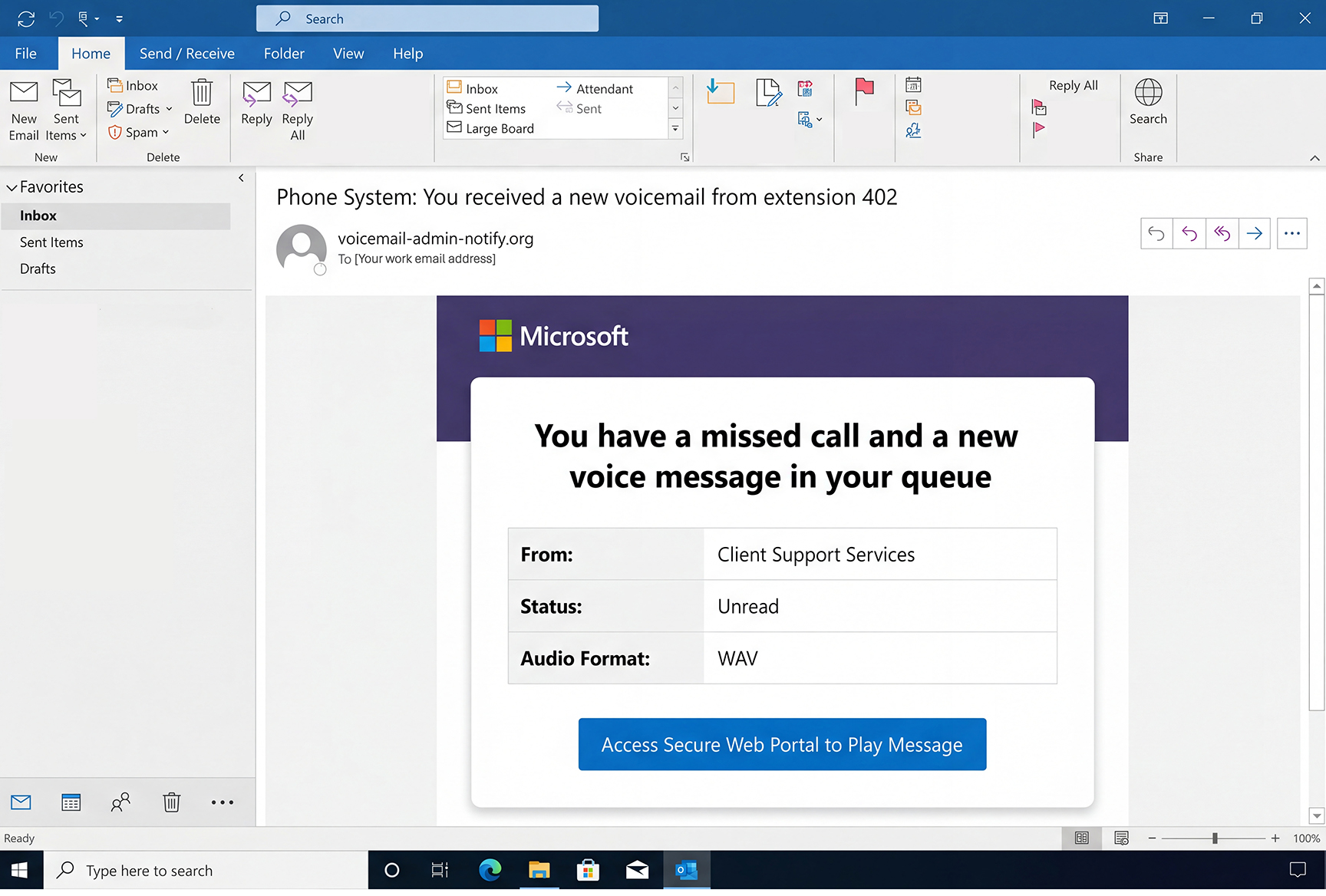
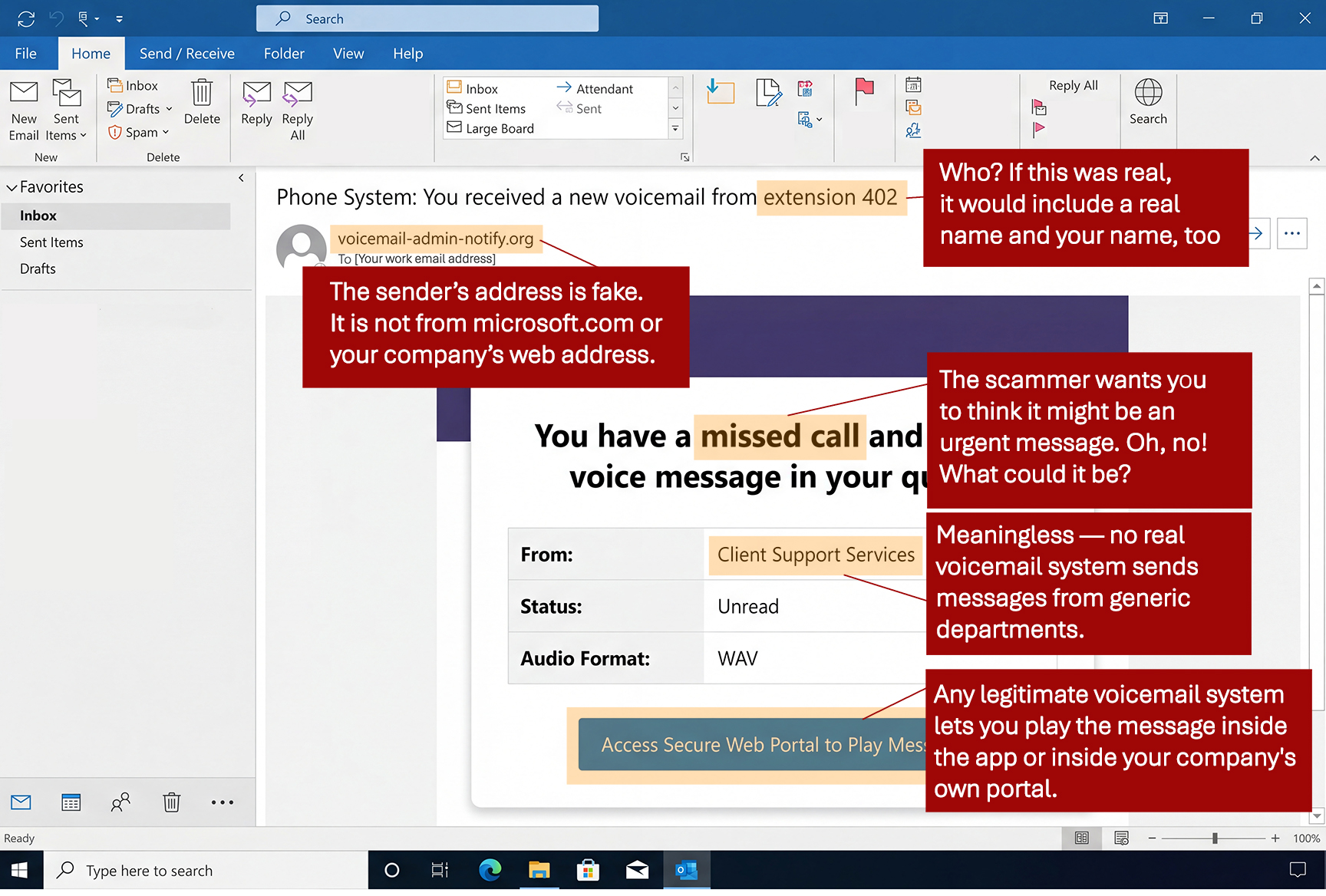
If you click that button to “play the message,”
you’ll be taken to what looks like a real Microsoft login page. But it’s not.
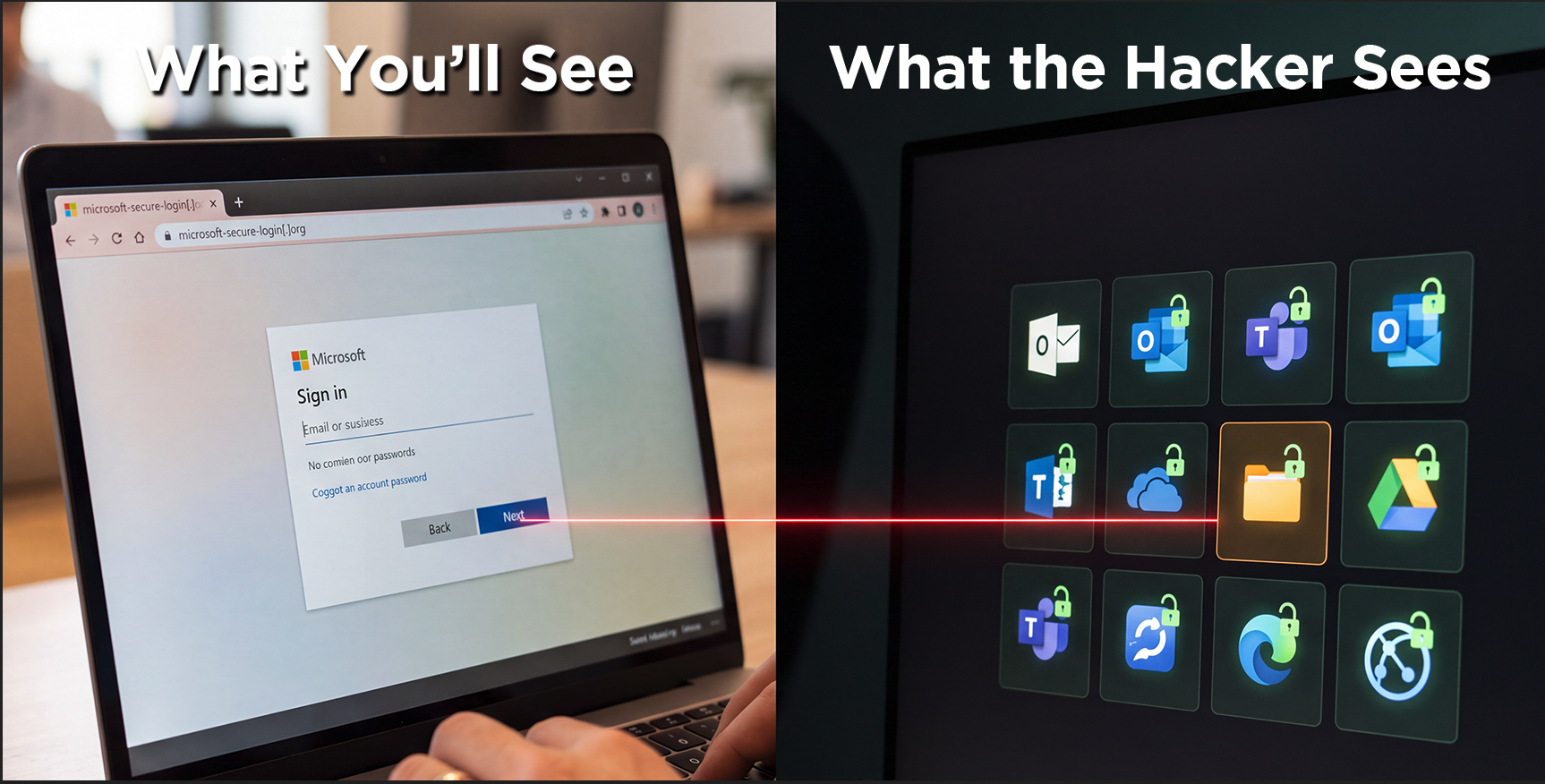
If you enter your work password,
the criminals will be able to access everything
in your work account — plus the company network.
![[NTSC] Business Email Compromise](https://newsletter.awareforcecyber.com/wp-content/uploads/2026/08/NTSC-Business-Email-Compromise-scaled.png)
Live Cyber Poll
Cybersecurity News You Can Use

Facebook and Instagram have agreed to pay billions to settle claims they deliberately designed their apps to hook children, but whether the promised safety changes actually protect your kids depends on whether you choose to enforce the rules. Here are the highlights of what just happened.
- Instagram and Facebook must now limit how long teens can use them. Meta, which owns the platforms, must add a default two-hour daily time limit for teens on Facebook and Instagram combined, plus an automatic midnight to 6 a.m. shutoff. Only a parent can turn either of those off.
- The settlement requires Meta to mute most notifications during school hours (8 a.m. to 3 p.m.), hide “like” counts on teen posts, block extreme cosmetic filters, and offer teens a feed option that isn’t driven by the algorithm that feeds them content.
- Separately, TikTok agreed to pay $400 million for allowing children under 13 to create regular accounts and keeping their personal data without parental consent, in violation of federal children’s privacy law.
- Neither company admitted it did anything wrong. Meta is paying up to $16.68 billion, which is roughly what it earns in three months, spread over ten years.
- The money goes to the states, not to parents or children. Thousands of separate lawsuits filed by individual families over their children’s mental health remain unaffected and will continue in court.
- The settlement still needs a judge’s approval, doesn’t require Meta to eliminate personalized content recommendations for teens, and about $5 billion of the total only kicks in if YouTube and TikTok adopt similar restrictions.
One more thing...

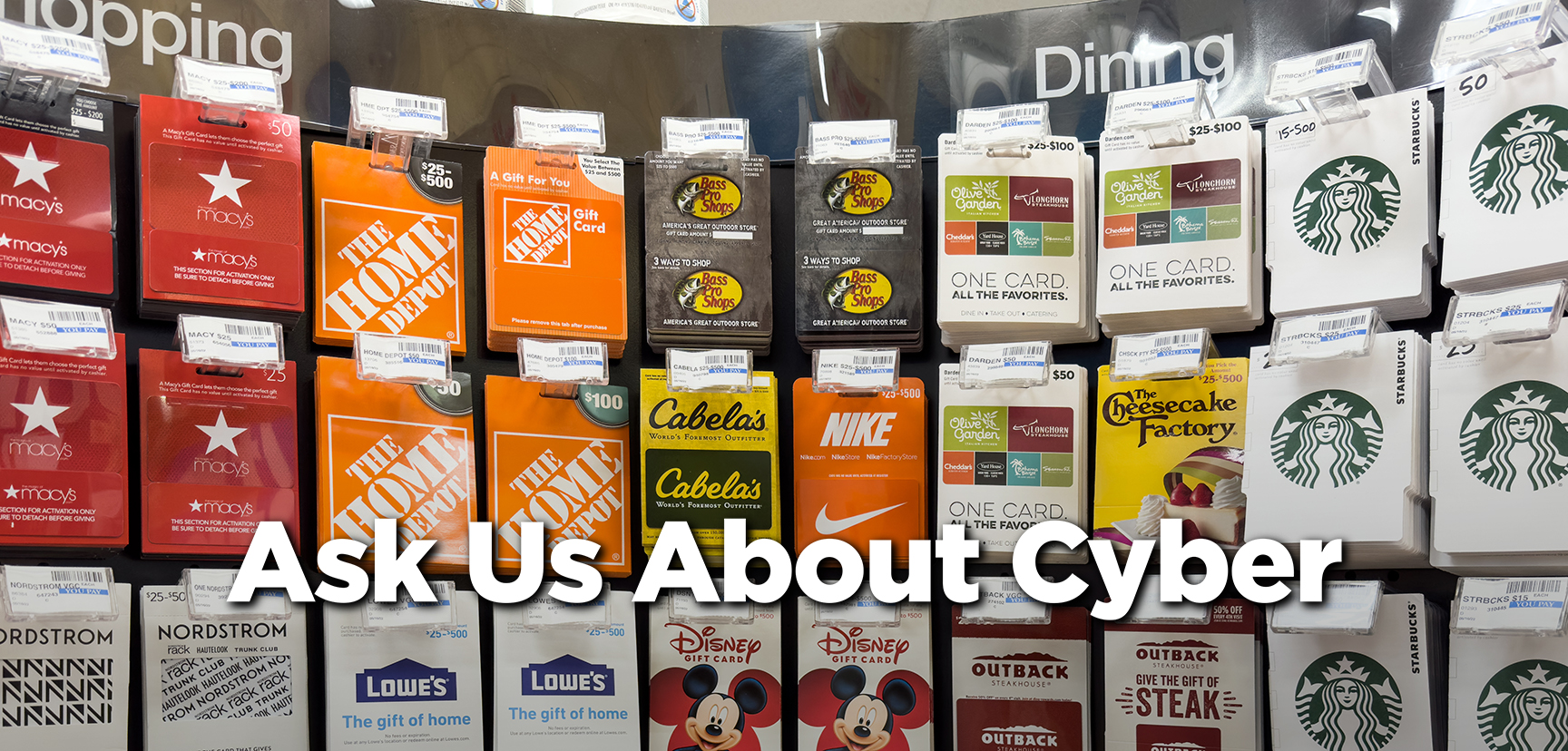
If I get scammed into using a gift card to pay for a service, can I get that money back?
Almost never, honestly, and that’s exactly why scammers love gift cards, since once they get the code numbers on the back, the money moves just like cash. Your best shot is calling the gift card company (not the store) the moment you realize what happened, since some can freeze the balance if it hasn’t been drained yet. The lesson going forward is that no legitimate business or government agency will ever ask you to pay with a gift card, period.
Should I delete online accounts that I no longer use? If so, how do I delete the account?
Don’t just delete or ignore them. You have to actually cancel them. Those old accounts you forgot about are still holding onto your personal information like passwords and credit card information. If that site gets breached, hackers get your data, and if you reused that password, your active accounts are at risk, too.
To delete your old accounts:
- Search your inbox for words like “welcome,” “verify,” or “receipt” to spot old signups, or check your browser’s saved passwords list. You can also use tools like Google’s Security Checkup to see which apps are linked to your main account.
- Log in to each one and head to Settings > Account > Privacy to find “Delete Account,” or use JustDelete.me to get a list of addresses to delete accounts on hundreds of websites.
- Remember to download anything you want to keep like photos, order history, documents…and cancel any active subscriptions first so you’re not still being charged after the account disappears.
When I “delete all spam”, do they know I responded?
Good news: spammers have no way of knowing whether you move their emails to the trash. But here’s something you might not know: to keep spammers from knowing you opened their message at all, turn on “Block remote images” in your email settings. That’s because when images in your emails display, you often alert the sender that you opened it.
Do I need to use a different passkey for each account, like I do with passwords?
A passkey is when you use your fingerprint or face to access a website instead of a password. The best part of passkeys is your device handles it all automatically. There’s nothing for you to create, remember, or reuse. Even if a passkey is somehow leaked, it will be useless anywhere else, since each passkey only works on your electronic device and for the exact site it was made for.
Send us your cybersecurity question
for possible use in a future newsletter.
You don’t have to provide your name or email address.
If you do include an email address, we’ll do our best to respond to your question.
Was this content helpful?

Original content © 2026 Aware Force LLC