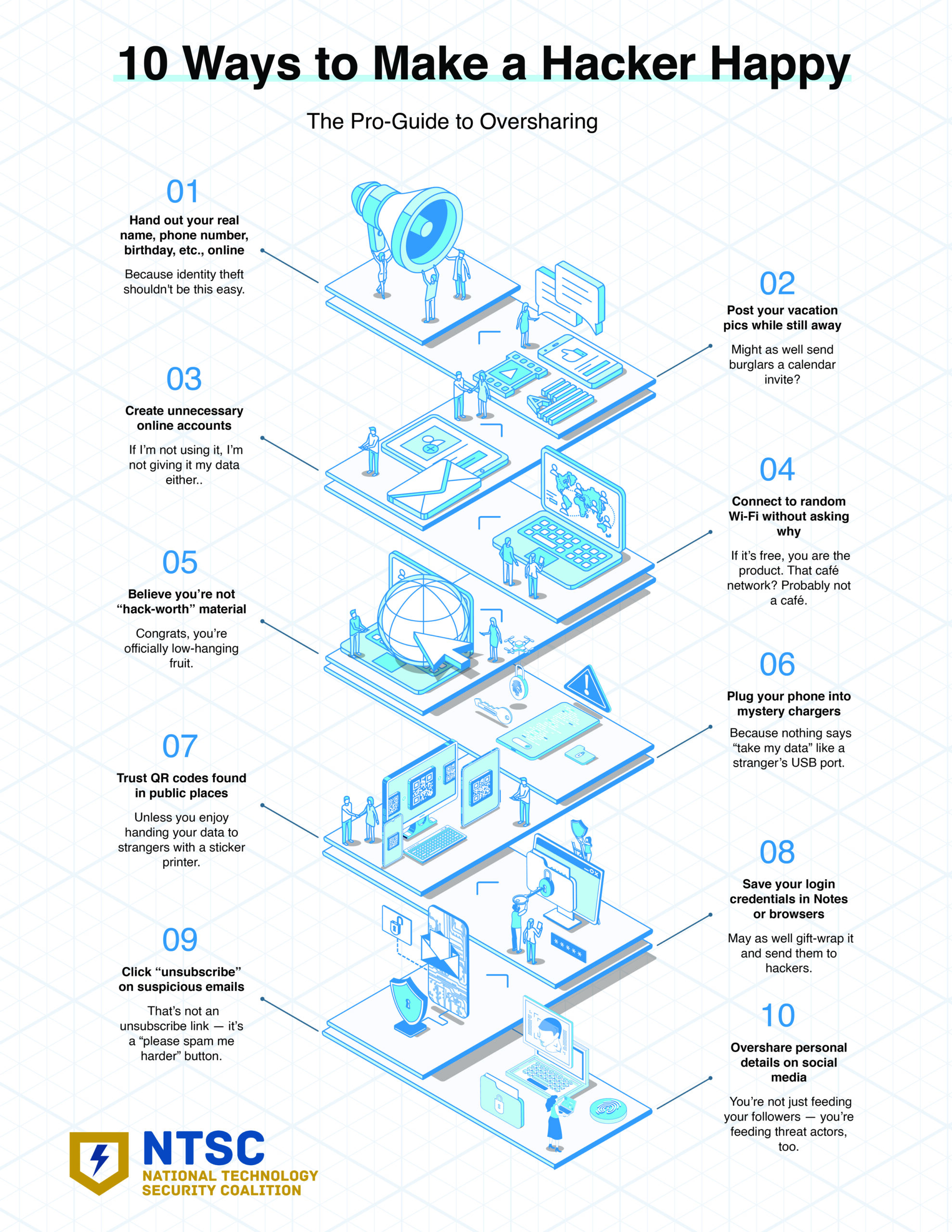
In this special edition: 10 ways to make a hacker happy. (Hint: don’t do these things!)
It’s still one of the most common — and effective — scam emails on the internet.
The Internet isn’t what it used to be. Take the Cyber Quiz and see if you’re still safe.
Cybersecurity News You Can Use
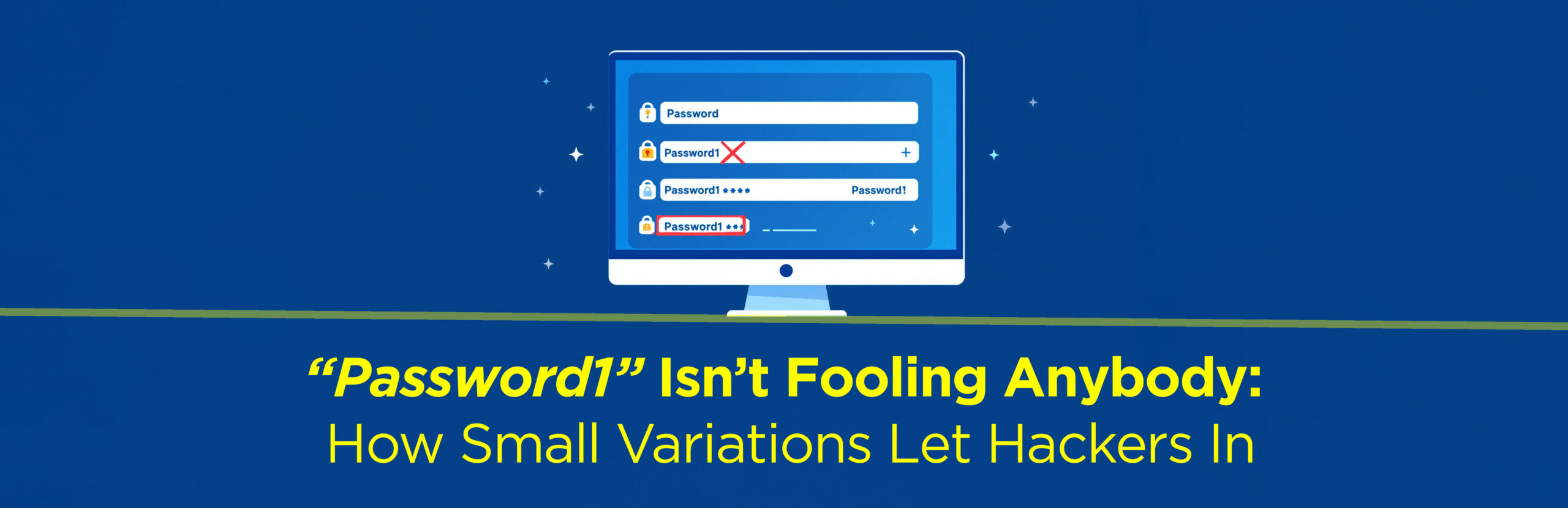
Do you reuse passwords on different sites and just add “1” or “!” at the end?
4 out of 5 of us do, according to a new global study of cyber breaches by the major British telecom company Virgin Media O2. And we’re not fooling anybody.
Cybercriminals easily guess these variations after usernames and passwords are stolen in a breach. To stay protected, use unique passwords for each account, enable two-factor authentication, and consider a password manager to generate and securely store complex passwords. Apple’s iCloud Keychain, Google’s Password Manager for Android and Chrome, and Microsoft’s Password Manager (built into Windows and Edge) do the trick.
But right away — to be safe — change similar passwords on your four most important accounts: banks, email, work accounts, and mobile.
Phish of the Week
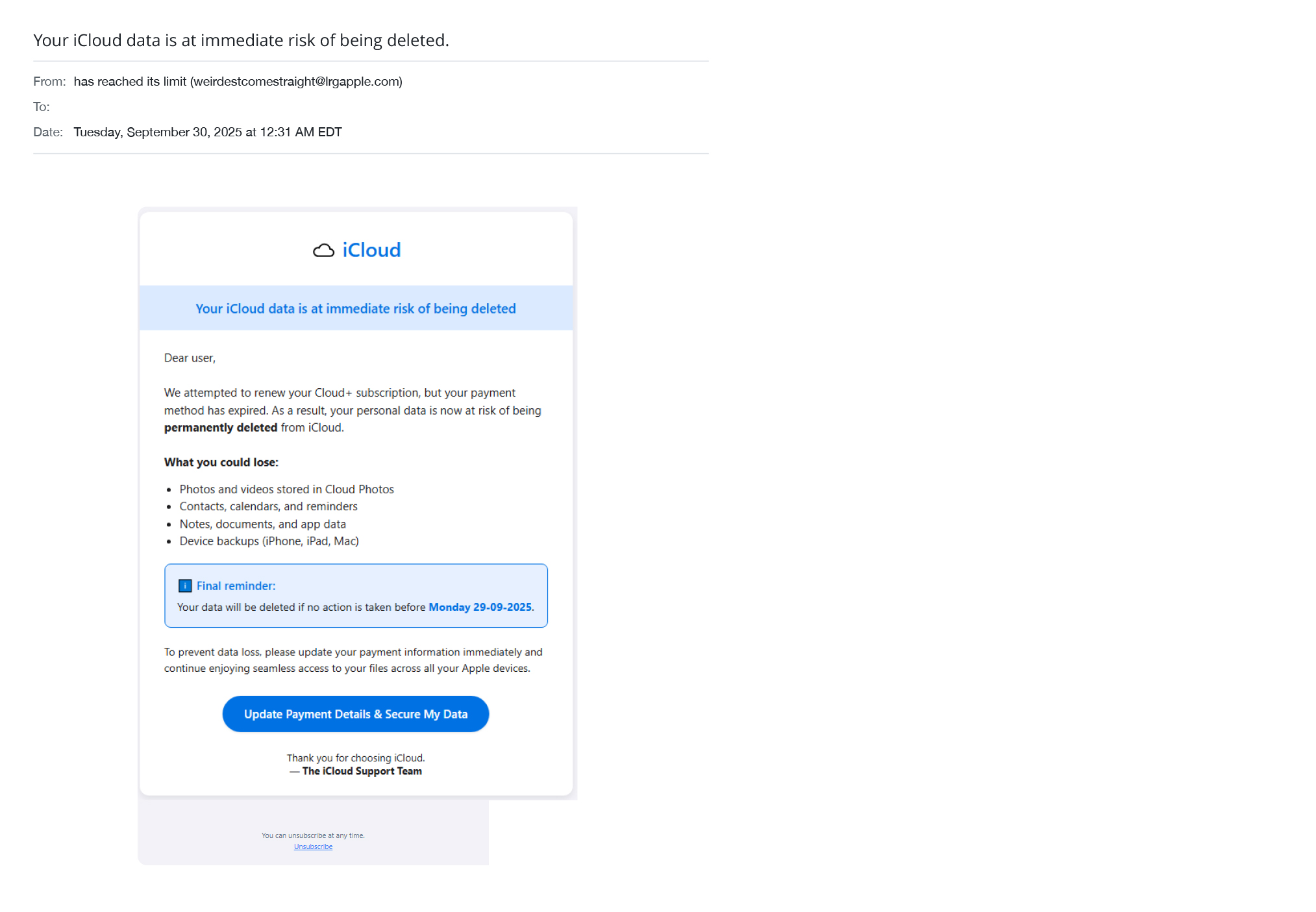
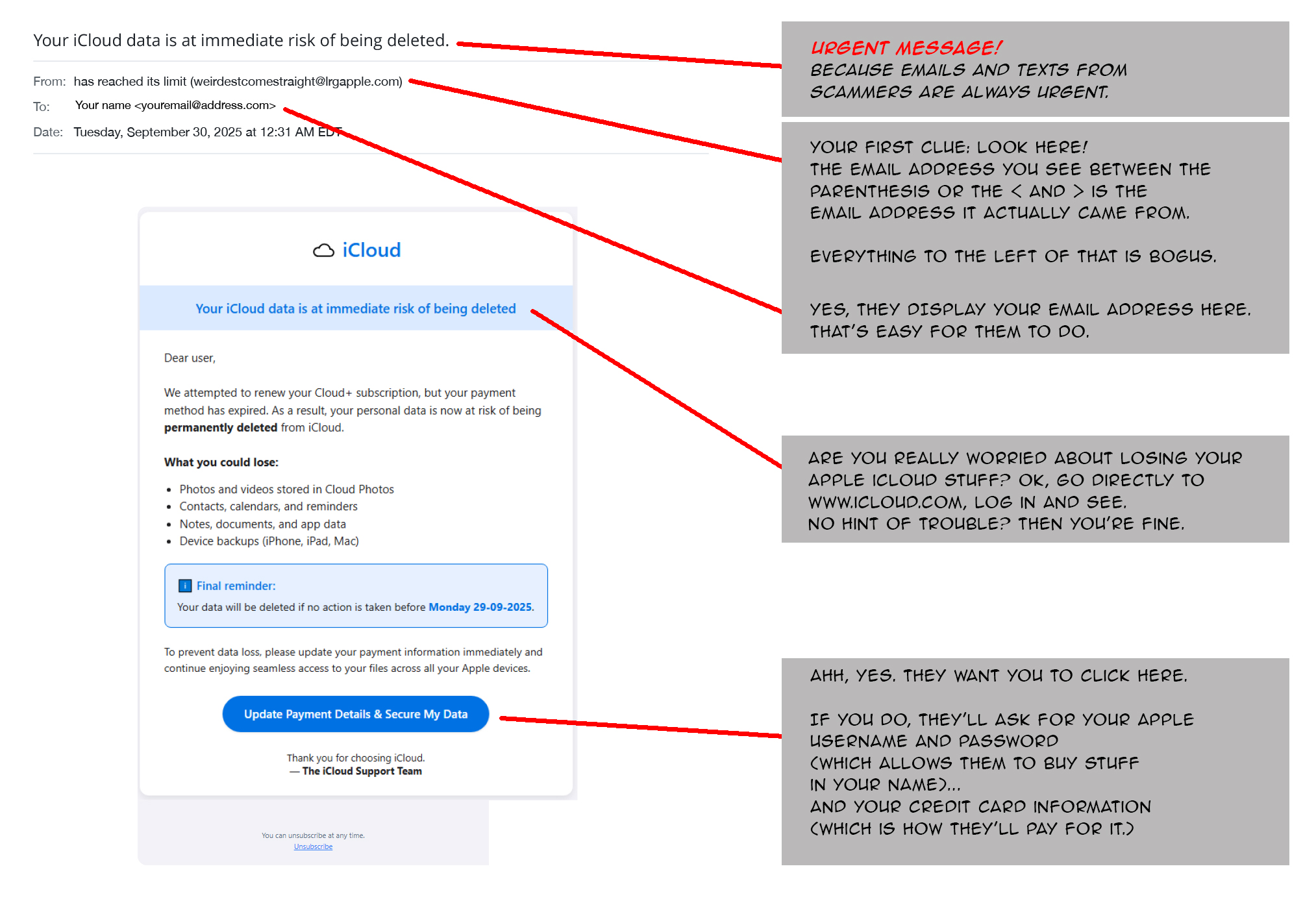
We’re featuring this phishing scam during Cybersecurity Awareness Month because it’s still one of the most common — and most effective — ways scammers trick people. It targets Apple users with fake alerts claiming they could lose all their photos, contacts, and data unless they act immediately.
This example, now making the rounds, includes several clues that prove it’s a fake.
Use your mouse to drag the slider bar from left to right and spot the ways scammers steal our money.
Before
After
You know the rules! Follow them and you’ll stay safe. For emails that appear to come from Apple:
Don’t click links or open attachments. Go directly to iCloud.com or the official Apple Support page instead of using any link in the email.
Check the sender address carefully. Messages from Apple will come from domains ending in @apple.com — not look-alikes or misspellings.
Report and delete it. Forward suspicious messages to [email protected] and then delete the email from your inbox and trash.
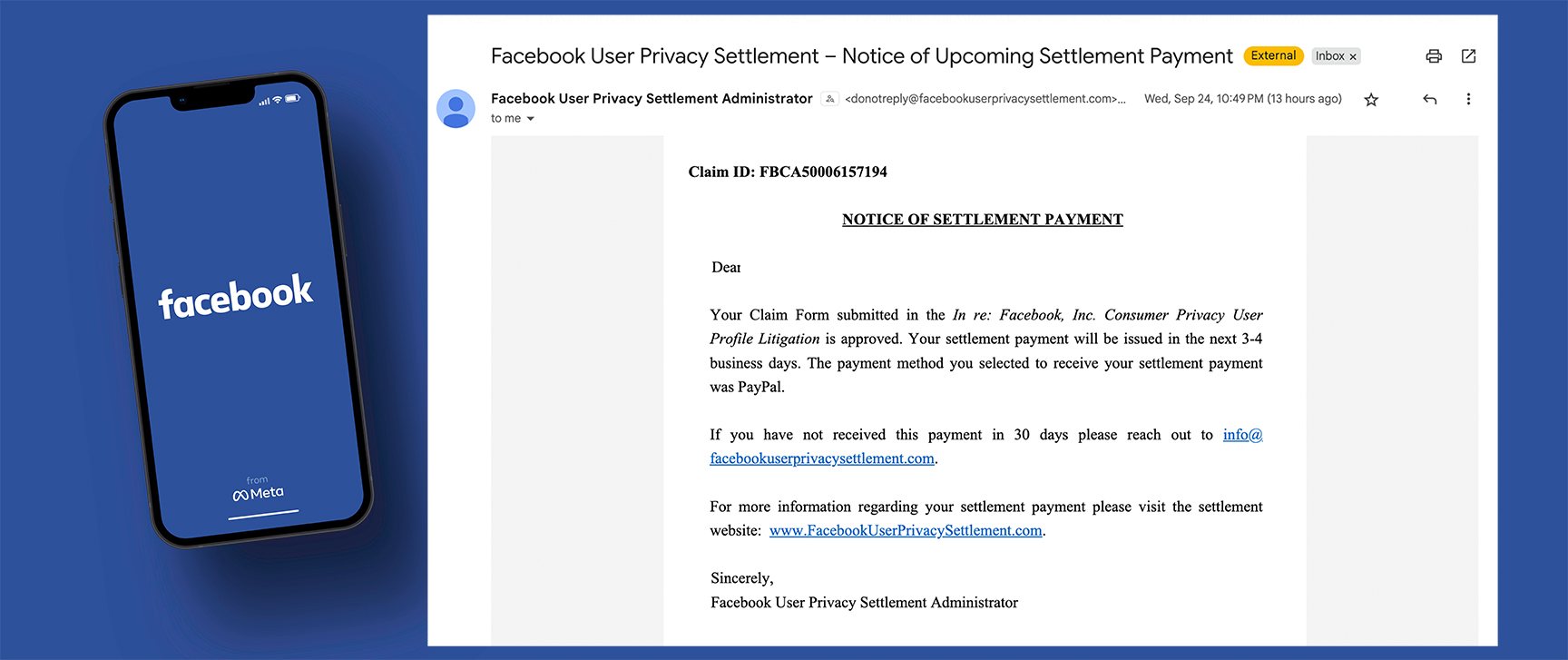
I received this email about money I am due from Facebook. Is it real? How much money will I get?
Yes, emails about this legal settlement are legitimate. Facebook was charged with improperly allowing app developers, advertisers, and data brokers to access users’ personal information and profile data without their knowledge or consent. The result is this $725 million class-action settlement.
Money Magazine says the payout per individual will average about $29.42, depending on how long you had a Facebook account between 2007 and 2022.
If you were contacted about participating in this lawsuit a couple of years ago, notified them you wanted to participate, and then received this email recently, you’ll receive funds via the method you selected (in most cases, via PayPal). Payments are being sent in batches over a 10-week period. There’s nothing more you need to do.
I recently started receiving an abnormal amount of spam to my inbox (probably well over 20 spams/day). All kinds of companies that I have never even done business with are flooding both my regular inbox as well as my spam folder. It is hard to tell what is real and what is not. I am careful not to open or click links and have been reporting/blocking. But it seems like they just keep coming. Do I change my email address?
This can happen if your email address was exposed in a data breach or sold by a website you once trusted. To cut down on spam, set up an email filter so unwanted messages go straight to a folder you don’t see unless you choose to. Just search online for your email program (like Outlook, Gmail, or Apple Mail) and the phrase “set up a spam filter.”
If that doesn’t fix it, create a new email address to use only for important things — banking, government services, insurance, passwords, and two-factor authentication — but not for shopping, social media, or newsletters. Keep your old address for everything else and check it only occasionally.
I received an email telling me that some unknown person logged in to my Instagram account. It felt like a fake alert, so I didn’t respond. But what would have happened if I did?
This “unknown login” scam involves urgent alerts about Instagram, Facebook, TikTok, and even bank accounts. If you had clicked the link, your email app would have automatically generated a reply that said something like “Report this user to secure your account” or “Remove your email address from this account.”
If you clicked “send,” scammers would learn two key things: that your email address is active and that you respond to messages like theirs. Then they would target you with more phishing messages, follow-up scams, and even sell your email address to other cybercriminals.
Send us your cybersecurity question for possible use in a future newsletter.