In this edition: The most common fake email of 2025.
The most dangerous cybercrime for employers of 2025.
Our most-watched cybersecurity video of the year.
The most often asked cybersecurity question from our readers during the past year.
Fake emails are still the #1 way scammers steal money and personal information.
According to Keepnet Labs, about 3 billion phishing emails were sent every day in 2025 — that’s roughly 1.2% of all emails on the planet! About 3% of those phishing emails get opened and acted on, and that small number is enough to fuel most cybercrime.
The most common scams are the ones that look routine: messages that pretend to be from trusted brands, familiar services, or everyday business tasks. They’re usually urgent and almost always involve money.
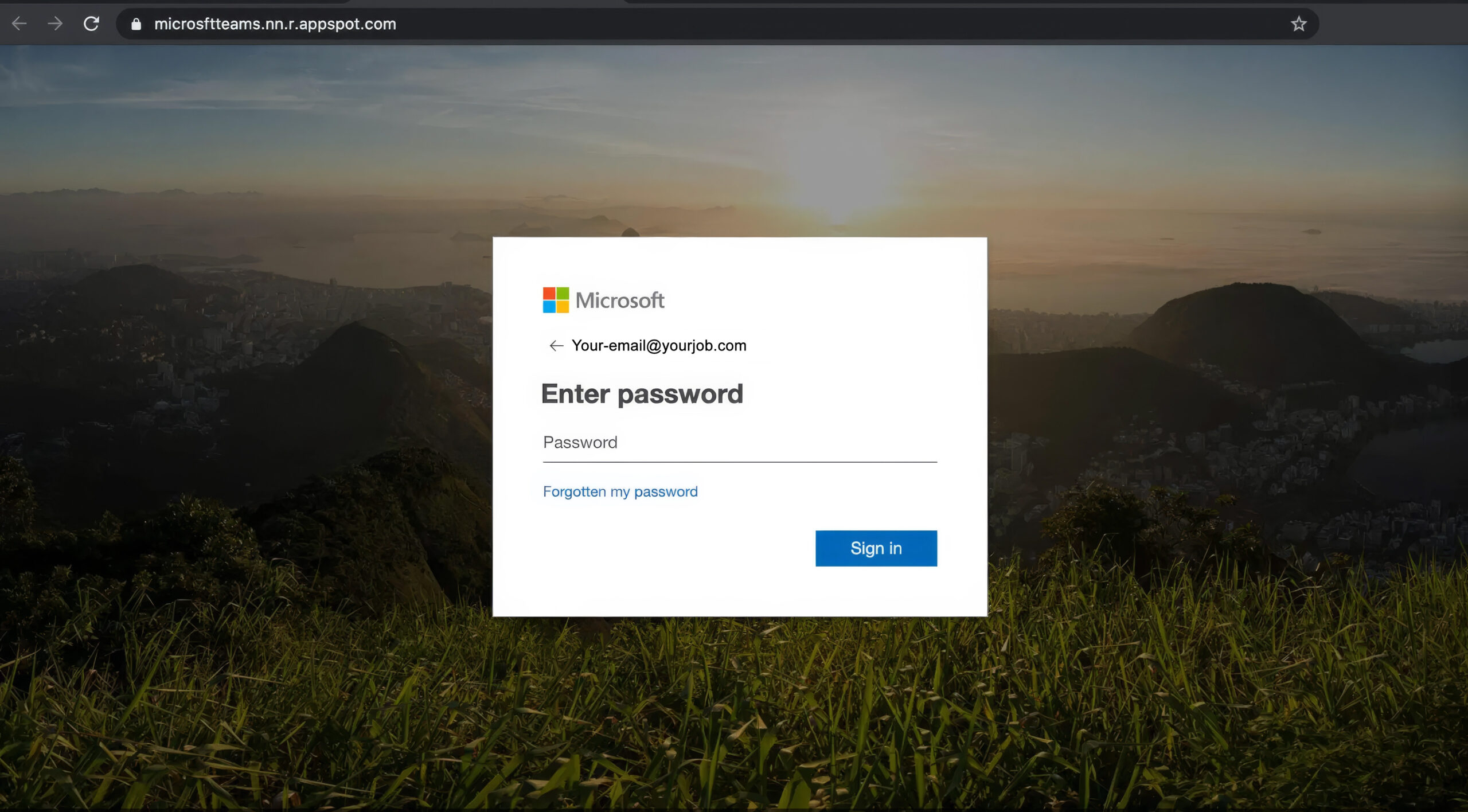
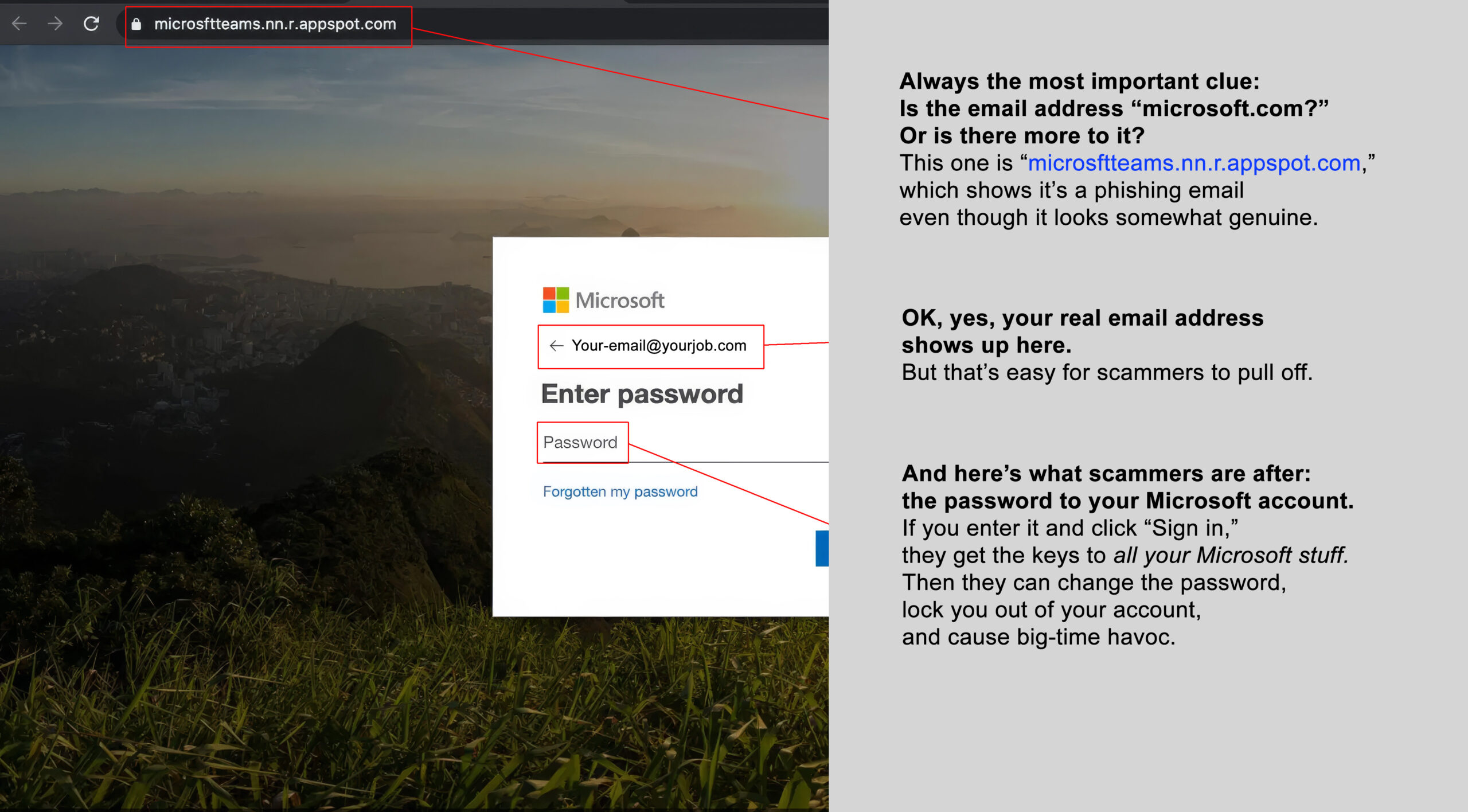
Below is the most-clicked phishing email of 2025. Use your mouse to slide the bar from left to right and spot clues that give it away.
Before
After
Ransomware attacks surged across North America this year, often crippling businesses, schools, hospitals, and local governments.
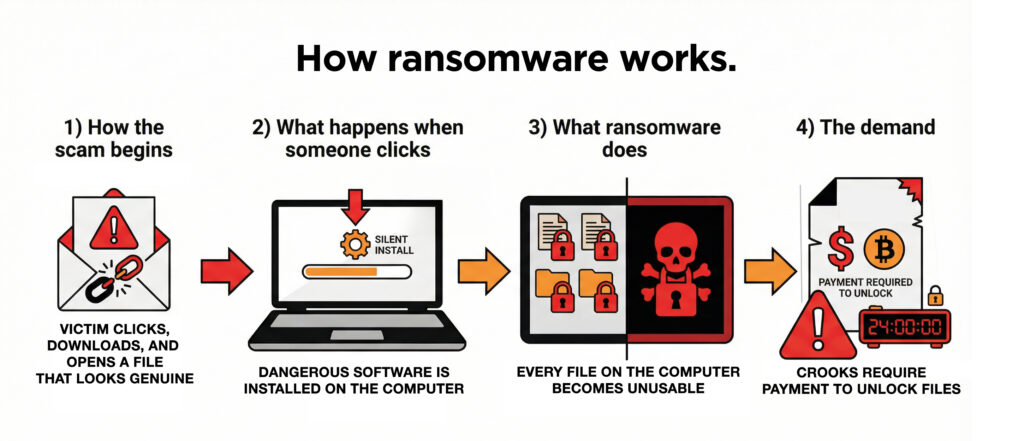
Ransomware is a type of cyberattack where criminals break into a computer system, lock the files, and demand money to unlock them. It usually starts when someone clicks a link that looks genuine, opens an attachment, or when attackers use stolen passwords (or just guess them) to access a company’s network.
Once inside, the malware silently spreads and encrypts computer files, preventing anyone from using them. The criminals threaten to leak the stolen data or keep the systems locked unless the victim pays.
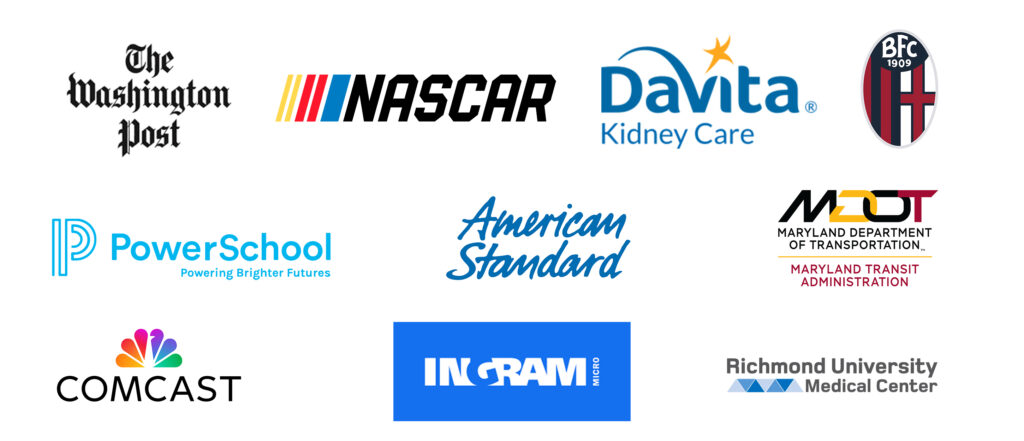
Here are some of the many companies that faced ransomware attacks in 2025.
2025 was the year scammers got a powerful new AI tool: computer-generated voices that sound shockingly real in voicemails and even live phone calls.
They grab short clips posted by family and friends on social media, use AI to mimic how the person talks, and then call family members pretending to be that person.
All year long, parents have been getting urgent calls that sound like their child asking for money — but it’s fake.
Click below to hear an AI-generated teenager explain how to spot one of these voice scams.
00:00
If you think you’ve clicked on a phishing email, immediately change your password via the Account Management Portal at https://portal.id.cps.edu and notify us immediately by emailing [email protected] so we can check it out.
“I’m really tired of all the cybercrime stuff. It seems like nothing we do is enough. As technology evolves, is staying safe even something realistic to expect, or are we just managing a false sense of security?”
OK, true, nobody can be perfectly secure online. The truth is, a few smart habits, like turning on multi-factor authentication, block the vast majority of account takeovers.
Spending a little time creating long passwords and not reusing them on different accounts: that’s smart. Or installing password manager software on your personal computer is even better.
Most of the damage we’ve seen in 2025 still comes from fundamental issues like weak passwords, downloading files from scammers’ emails, or ignoring software updates to your web browser, apps, and computer operating system.
Think of it this way. The payoff comes from treating security more like “seatbelts and airbags” than an invincible shield: you can’t stop every crash, but you can massively improve the outcome.
Your questions this year showed exactly what matters most to employees, and your IT team pays close attention to what you’re curious or concerned about.
Staying vocal is one of the best ways to strengthen security: the more we talk about what looks suspicious, the faster the team can shut down a potential threat.
If you ever see something that doesn’t feel right, letting a supervisor or IT know right away can make all the difference in stopping a breach before it happens.
Send us your cybersecurity question for possible use in a future newsletter.