The one easy step you can take to protect your most private accounts from hackers
Alert: your main social media accounts have been suspended! (Really?)
It’s a little hassle, but it will protect your bank account from scammers
Was this content helpful?
Live Cyber Poll
Was this content helpful?
Phish of the Week
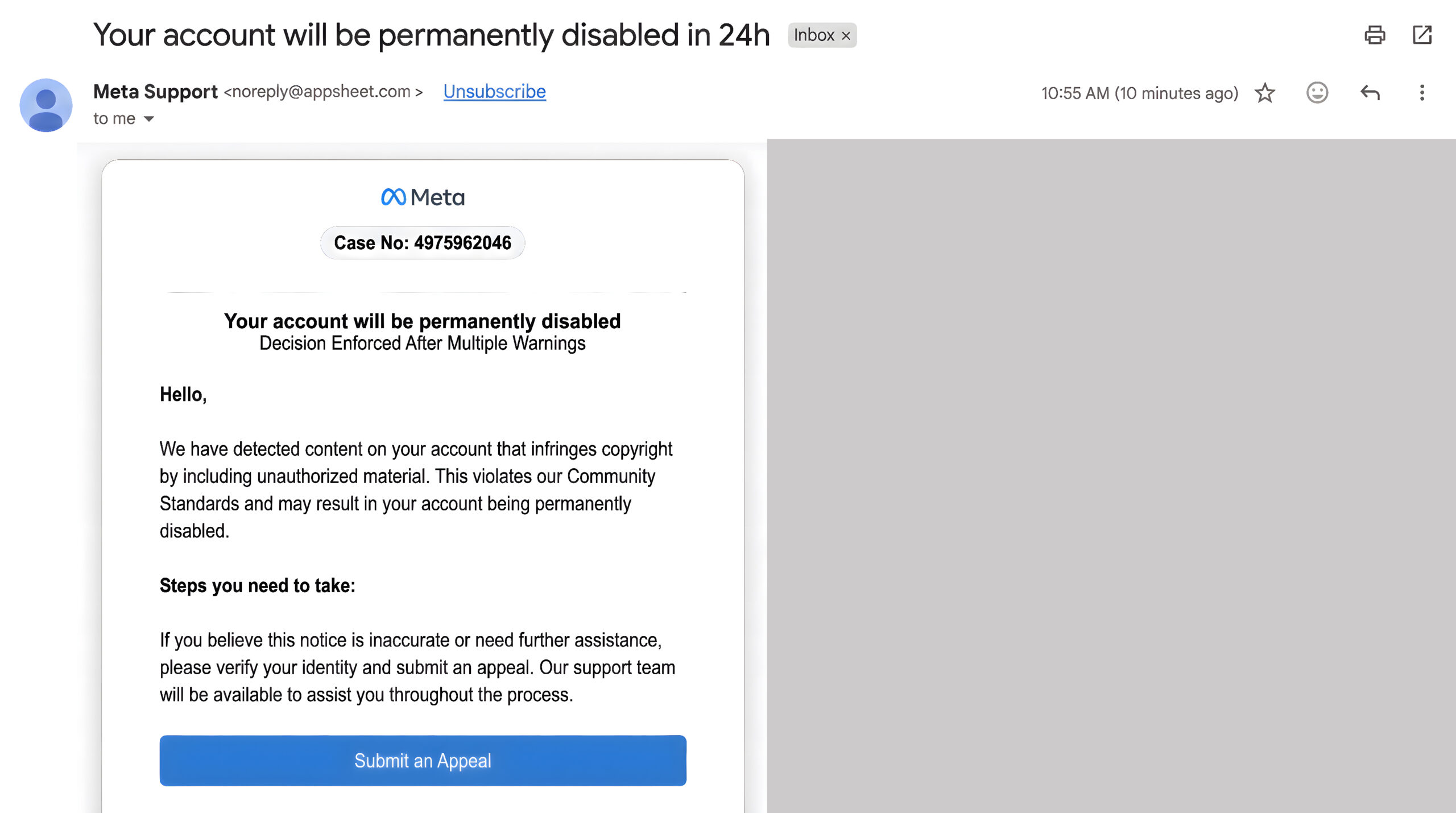
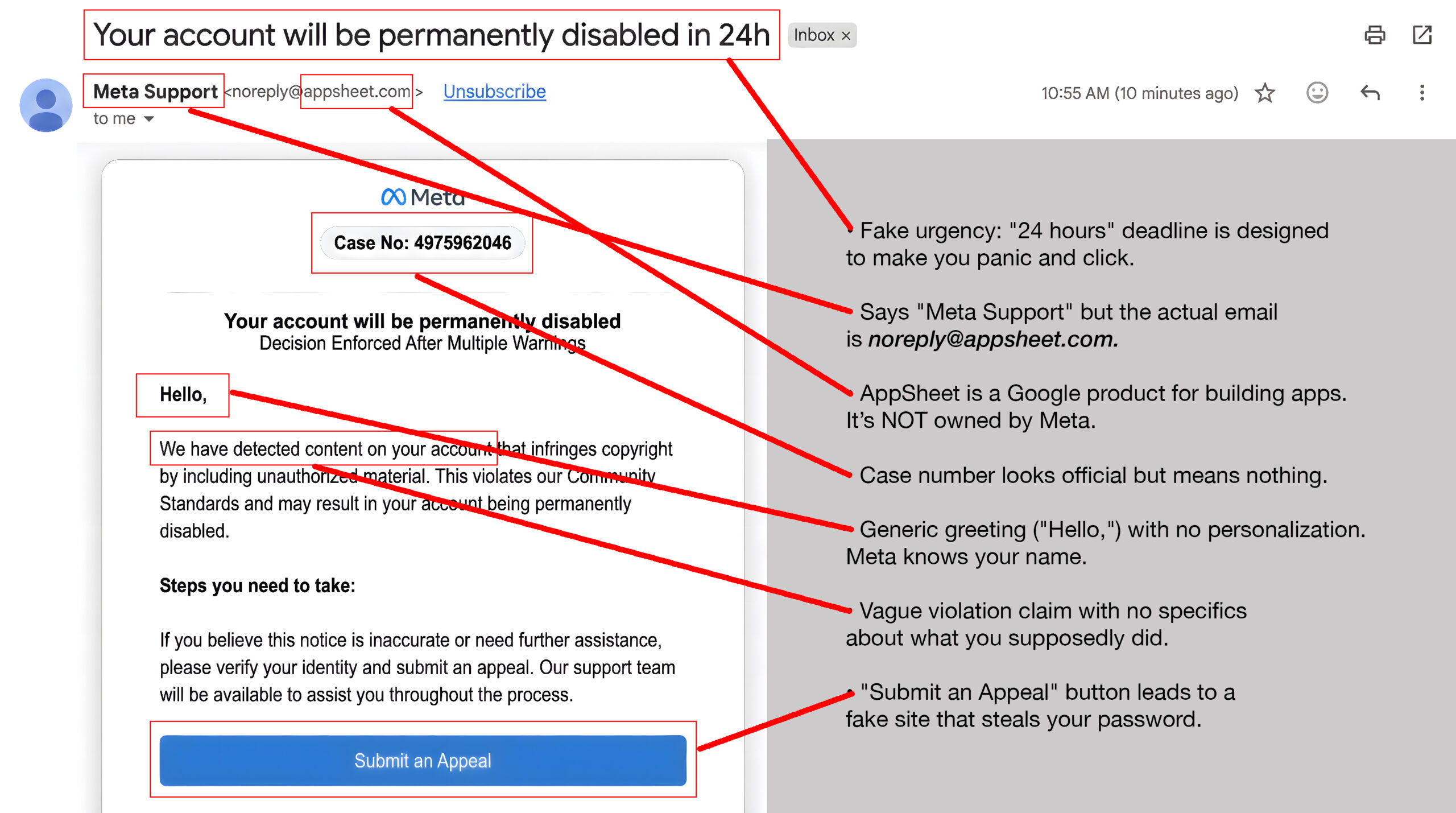
“Meta Support” emailed you about serious account violations.
Uh-oh! It’s a trap.
Use your mouse to drag the slider bar from right to left and spot the clues.
Before
After
If you didn’t click on the link: Delete it immediately. Report phishing in your email.
Check your actual Facebook account by going to Facebook.com directly (type it yourself).
If you DID click and entered your password: Change your Facebook password NOW (go to Facebook.com directly, not via any link). Turn on two-factor authentication immediately.
One more thing...
I received an email from amazon.com about being blocked from my account because of unusual activity. The email address it came from is amazon.com, but one of the links takes me to an X-rated website. How does this happen?
Scammers can make an email look like it came from “amazon.com”, just like writing any return address you want on a paper envelope. Behind the scenes, the links inside can send you to fake login sites that try to steal passwords or install malware.
So, remember, you can’t automatically trust the name in the “From” line of an email. Hover your mouse over it and the real address it came from will pop up.
Instead of using links or phone numbers in that email, go directly to Amazon by typing the address yourself or using the official app. If there’s no alert in your account, there’s proof the message is a scam.
I am always flagging emails as a phishing attempt out of caution. But there are so many! What are some examples of what should be reported as spam vs. which ones should just be deleted?
At work, ask yourself: “Could this fool someone on my team?” Click the “Report Phish” button if the email mentions accounts, money, or sensitive info, and asks you to click a link, open an attachment, scan a QR code, or log in (examples: “payroll issue,” “package held,” “invoice overdue,” MFA reset, DocuSign, Microsoft 365, bank, HR portal).
At home, use the “Report Spam” button in your email app for emails that feel deceptive (fake urgency, “we spoke last week,” odd links), or it’s clearly trying to sell you something or get you to click a link or open an attachment. That trains your spam filter what to look out for.
Send us your cybersecurity question for possible use in a future newsletter.
You don’t have to provide your name or email address. If you do include an email address, we’ll do our best to respond to your question.
![[Amherst] MFA](https://newsletter.awareforcecyber.com/wp-content/uploads/2026/05/Amherst-MFA-scaled.jpg)