The websites you use every day had hidden holes, and criminals found them first.
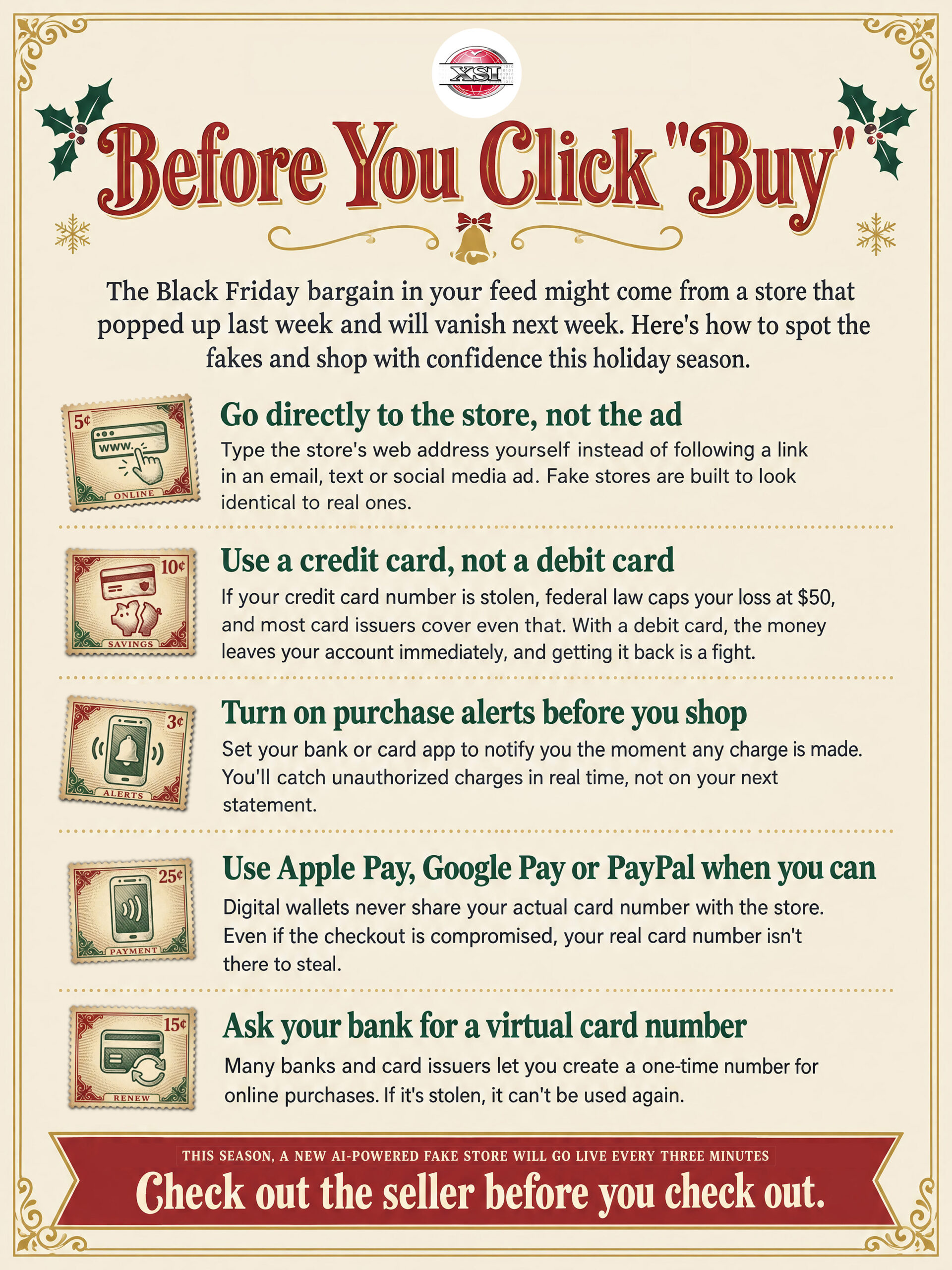
That holiday deal in your feed could be “sponsored by scammers.”
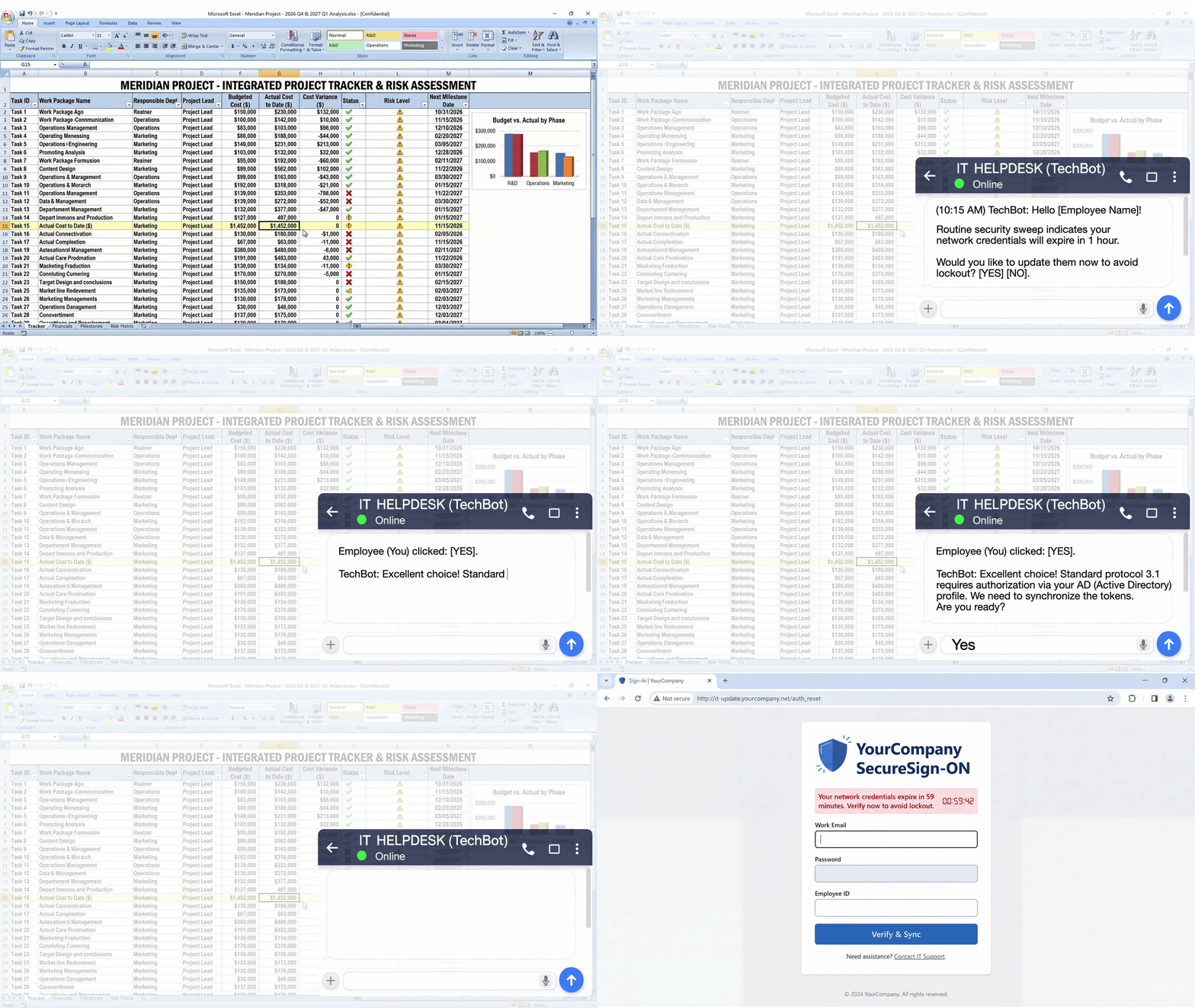
“IT Helpdesk” just messaged you. Are you sure it’s really IT?
AI Found the Web's Hidden Cracks.
Here's What You Should Do.
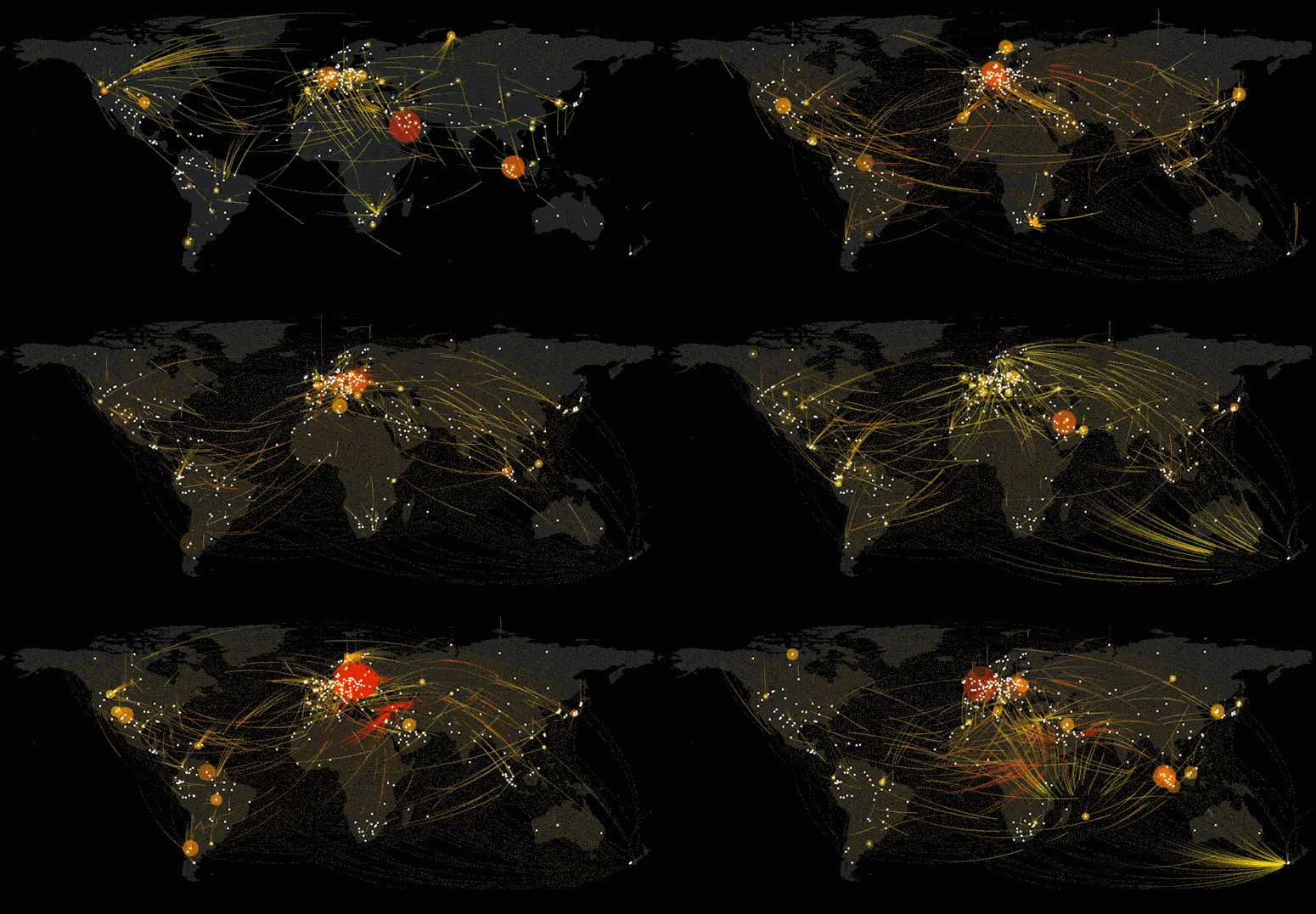
What you see above is NetScout's map of attacks on October 26, the kind where criminals flood a website or network with so much fake traffic that it slows down or crashes. Each glowing line traces an attack from where the traffic came from to its target, and the bigger and redder a circle is, the larger the attack hitting that spot.The sheer number of lines across every continent shows that these attacks run around the clock, all over the world.
Big news in the cyber universe: in recent days, security researchers found serious holes in the hidden software that runs most of the websites you visit every day. Criminals were already using the holes to break in before fixes came out, which means the online stores, sign-up forms and accounts where you’ve entered your name, password or payment details could be exposed.
How to Protect Yourself
• Restart your web browser so it picks up the latest security fixes.
• Turn on automatic updates for your phone, computer and apps.
• Use a different password for every account and let a password manager remember them for you.
• Strengthen your account security with passkeys wherever they’re available, or use an authenticator app instead of texted codes to protect your email, banking, and shopping accounts.
• Don’t click links in “your account was hacked” emails or texts. Go to the company’s website or app yourself.
• If you manage a website for a business, non-profit, or club, ask whoever runs it to confirm it’s been updated.
Live Cyber Poll
Phish of the Week
How it happens:
In this scenario, the scammer never gets into an employee’s computer. All they need is a way to send a message, and Microsoft Teams provides one.
Contacting an employee is easy. Teams lets people at other companies chat with your employees, and that setting is turned on by default. The scammer sets up their own Microsoft account, names it something like “IT Helpdesk,” and messages an employee the same way a vendor or client would.
The scammer can’t see what you’re working on. They just send a chat message and count on you to trust it.
And if you fall for it:
If you click and fill out that login page at the end, your password goes straight to the scammer.
What to do instead:
If “IT” contacts you out of the blue in a chat, end the conversation and contact IT yourself, using a phone number or help desk portal you already know.
One more thing...
Is there any way to tell if something is AI?
Not always. Even experts get fooled, plus AI is getting more “human-like” in its ability to create very realistic content. In a recent Microsoft study, people correctly identified real and AI-generated images only about two times out of three.
But there are clues:
Photos and videos: look for odd hands, garbled text on signs, overly smooth skin, shadows that don’t match, or lips slightly out of sync. But this is becoming less of a common clue as AI improves.
Voices: AI can copy a voice from just a few seconds of audio. If a call asks for money in a hurry, hang up and call back on a number you know.
Writing: AI text often sounds polished but generic, and like photos, it’s getting better. Online “AI detectors” aren’t reliable anymore.
Google’s free Gemini app can check images and video for hidden AI watermarks, but a clean result isn’t a guarantee the content is real.
How do I best mask my email and phone. I see ads for the app called Cloaked. Is that the way to go?
Cloaked is a real company, but at about $120 a year, it’s pricey, and users complain that spam calls didn’t drop and wanted calls got blocked. For email, you can use Apple’s Hide My Email, which comes with iCloud+ starting at 99¢ a month or free email protection from DuckDuckGo. For your phone, a free Google Voice number works well for shopping, forms and online sellers. Keep your real number for banks and government sites, because many of them reject masked numbers. This way, you can save your real email and number for the people and places you trust.
Thank you for alerting us that CAPTCHAs (those popup boxes that make you choose images to prove you’re a human, not a bot) can be spams, but you didn’t let us know how to spot them and when or when not to click on them. More information on this topic would be appreciated.
Thanks for asking! First, real CAPTCHAs are safe. They ask you to check an “I’m not a robot” box, pick pictures, or type wavy letters. That’s it.
But fake CAPTCHAs ask for more. Close the page if a “verification” tells you to:
Press keyboard shortcuts like Windows + R, or open Terminal on a Mac
Paste something and press Enter (this secretly installs password-stealing malware)
Click “Allow” to prove you’re human
Download a file
Surprisingly, even trusted websites can be hacked to show fake ones.
Think you already fell for one? At work, tell IT right away. At home, disconnect from the internet, run a security scan, and change your passwords from another device.
Send us your cybersecurity question for possible use in a future newsletter.
You don’t have to provide your name or email address. If you do include an email address, we’ll do our best to respond to your question.