- Why videogames have become a common way for hackers to break into your job and home.
- It’s popping up everywhere: the scam that appears to involve your boss.
- The two most dangerous words on your home computer. Bet you recognize them.
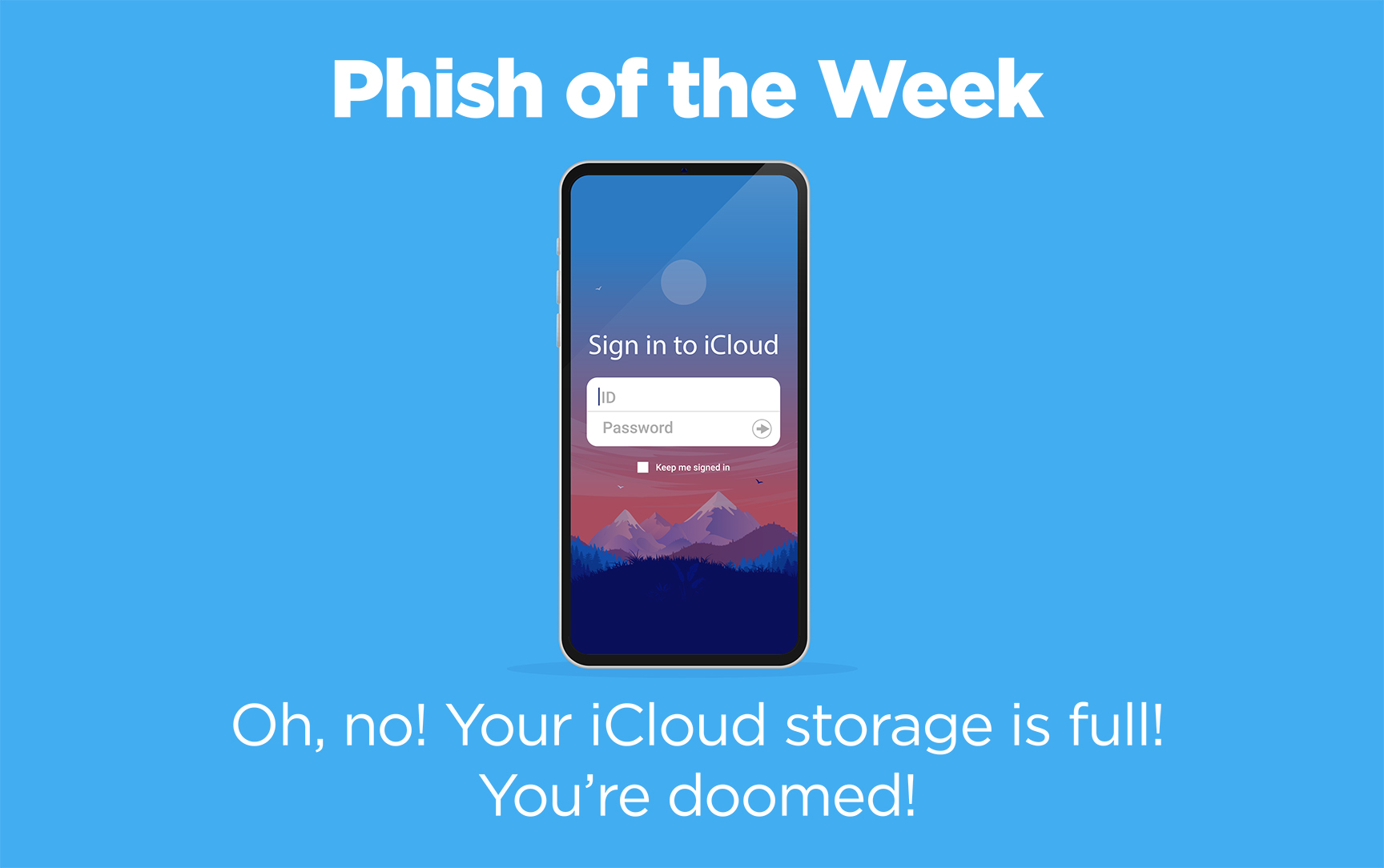
3.5 billion phishing emails will be sent today.
Some of the most common scams look like they came from Microsoft or Apple.
Apple has over a billion iCloud customers,
who use the service to back up their photos and documents.
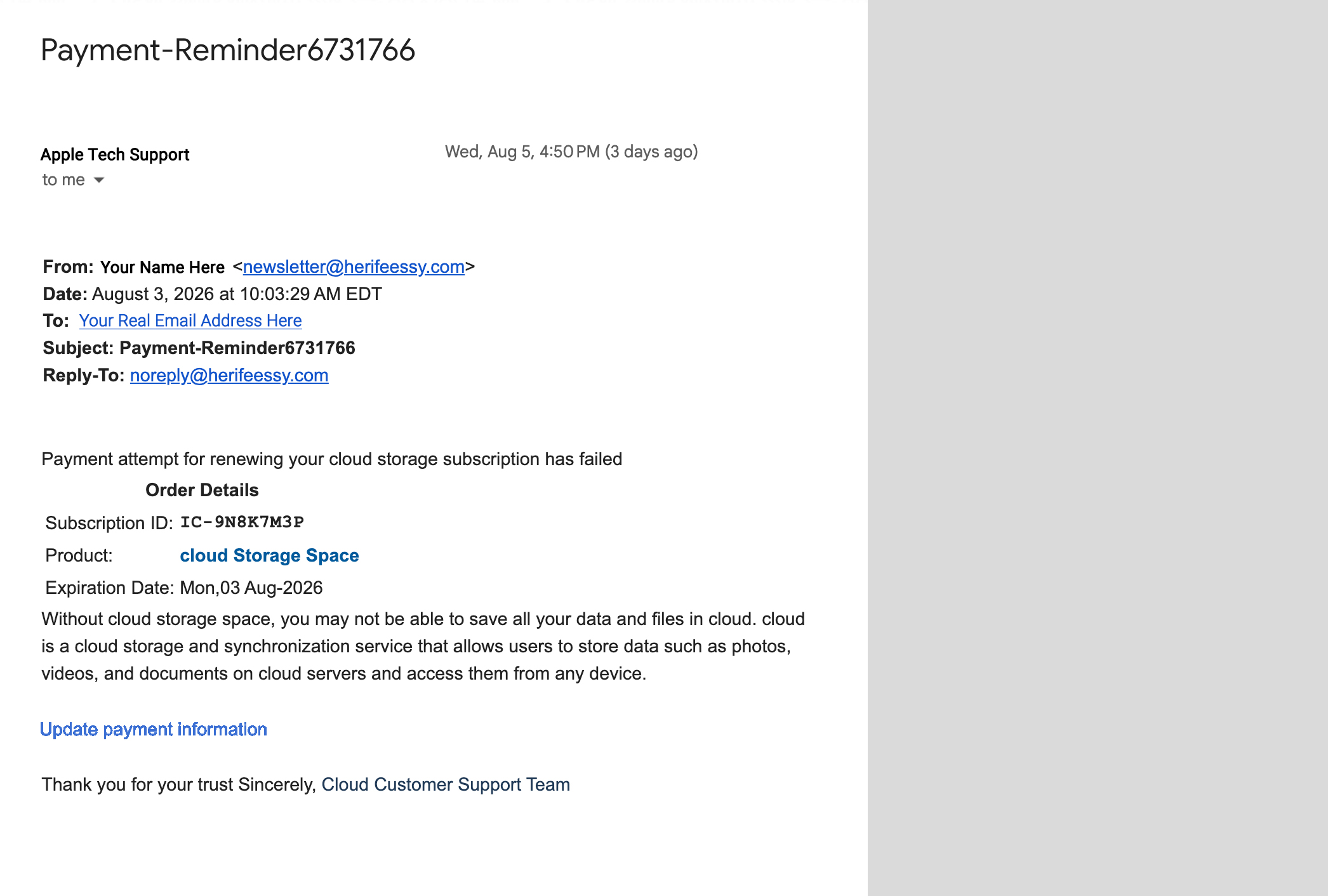
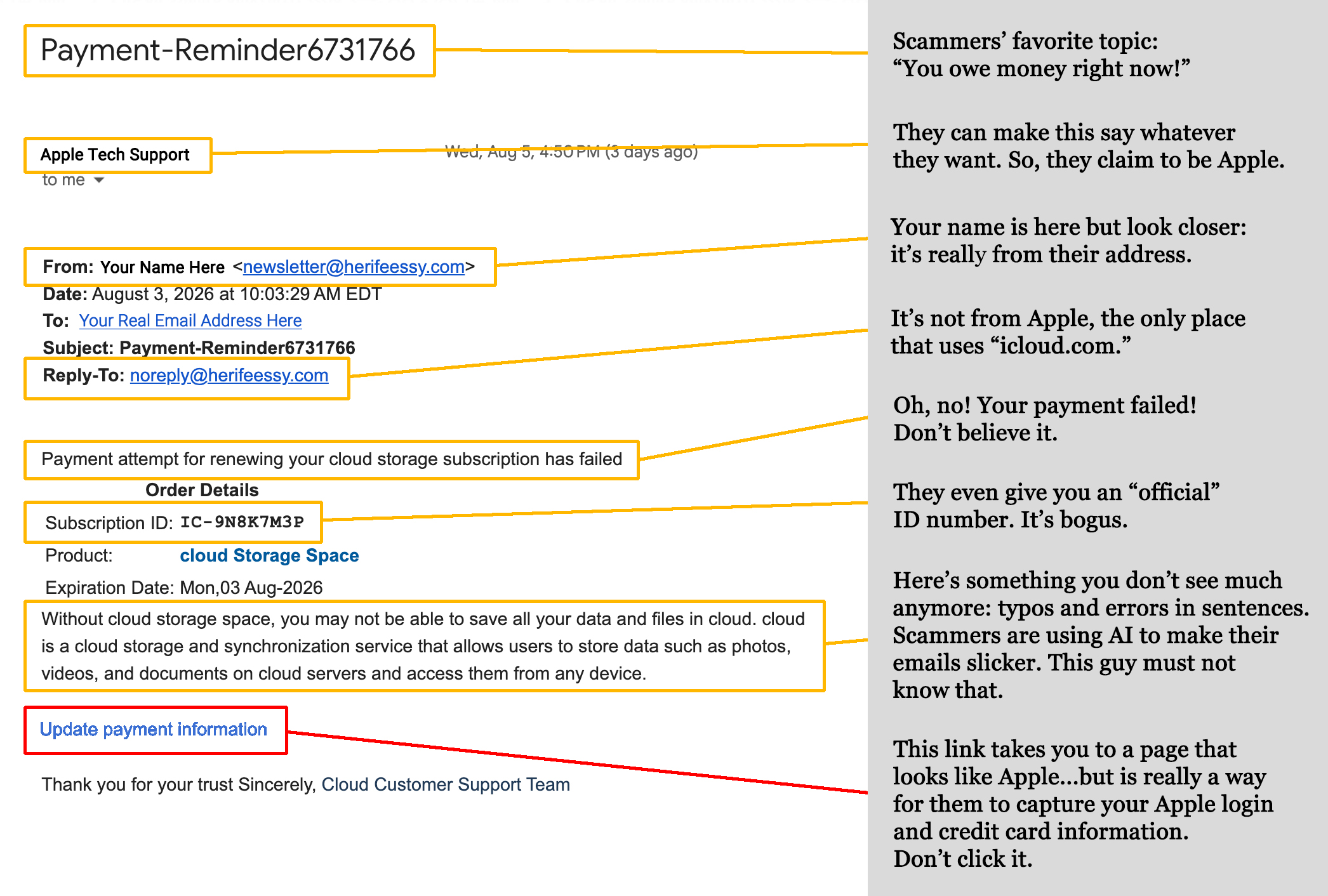
Check out this interactive example and spot the clues that it’s from a scammer.
Why is this email scam so common?
Out of every 1,000 people who receive a bogus iCloud email
about a subscription payment, 34 will respond to it.
Don’t be one of them.
![[Richland] Business Email Compromise](https://newsletter.awareforcecyber.com/wp-content/uploads/2026/08/Richland-Business-Email-Compromise-scaled.png)
Live Cyber Poll

The Last Place You Had Privacy Was Your Car. That Just Changed.
Your car has been quietly collecting data about where you drive, how fast you go, and what you do behind the wheel. Automakers just decided to make money off it.
BMW just crossed a line no brand had dared to cross before. When drivers start their car, they are greeted with a full-screen advertisement for a Spider-Man movie. This ad remains on the screen as a persistent application, even after it is skipped.
If this sounds like the beginning of something bigger, it is. Targeted ads based on your driving location and habits are the obvious next step. Soon, the car you paid so much for may ask you to pay extra just to enjoy a quiet ride.
Meanwhile, Samsung is rolling out promotions and advertisements on the screens of some of its smart refrigerators. The company says users can turn off the ads, but that apparently disables the refrigerator’s news, weather, and calendar widget.
Cybersecurity News You Can Use
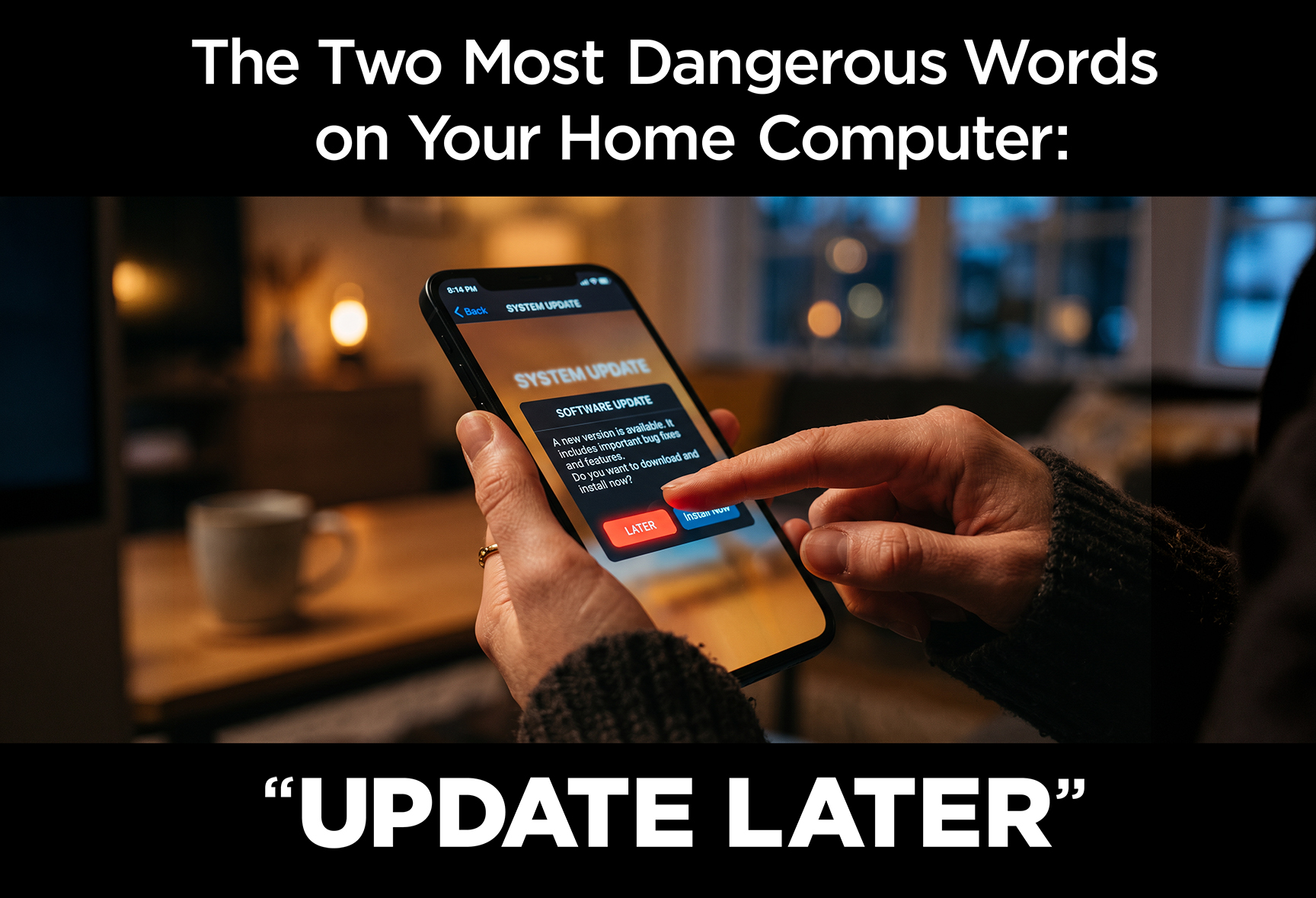
When your phone or computer asks you to install an update, it’s easy to tap “Later” and forget about it.
But here’s what happens when you put it off. Hackers are reading the same update notes you’re ignoring. Software companies publish what they fixed, which tells criminals exactly where the holes were. Devices that haven’t been updated immediately become easy targets.
The fact is, many data breaches start with something surprisingly simple: a software update that nobody installed.
What to update right away:
- Your phone — iOS and Android updates are almost always fixes that prevent security breaches
- Your computer — Windows and Mac updates fix vulnerabilities attackers actively exploit
- Your apps — especially banking, email, and social media apps
- Your router — if you own your own router (not one that’s leased from your internet provider), log into its admin page and check for firmware updates once a year
- Smart home devices — TVs, doorbells, thermostats, and security cameras all get updates most people never install
The simplest fix: Turn on automatic updates everywhere.
On iPhone: Settings → General → Software Update → Automatic Updates.
On Android: Settings → Software Update → Auto Download.
On your computer, check the “Preferences” category of your Mac or Windows operating system and make sure automatic updates are switched on.
One more thing...
“How do cyber criminals spoof my telephone number, and how can I tell when it happens?”
Caller ID was designed by the phone company in the 1960s. It simply displays whatever number the caller claims to be coming from. No check, no verification, no safeguard.
So how do you know if scammers have hijacked your number? Usually, someone calls you angry, confused, wondering why you keep calling them.
If that happens, here’s what to do:
Register your number at freecallerregistry.com. It’s a database used by carriers and call-blocking services to identify legitimate callers. Then call your cellular carrier directly and let them know your number is being spoofed. And finally, file a complaint with the FCC at fcc.gov/consumers/guides/filing-informal-complaint.
“How can I identify phishing emails more effectively?”
Start with one simple habit: look at where the email actually came from (not the name you see in bold, but the actual email address next to it.)
Here’s why that matters. An email might display “Amazon Customer Service” as the sender’s name. But click on that name or look to the right at the address between the brackets (< >) and the real address appears: something like [email protected]. That zero instead of an “o” is the giveaway that the email is from a scammer.
Beyond the address, phishing emails tend to hit the same emotional buttons every time. Once you know what to look for, they’re easier to spot:
- Urgency: “Your account will be closed in 24 hours.” “Respond immediately.”
- Fear: “Unusual activity detected.” “You owe back taxes.”
- Greed: “You’ve won a prize.” “Unclaimed funds in your name.”
- Authority: “This is the IRS.” “This is your final notice.”
- Curiosity: “Someone shared a document with you.” “You have a new voicemail.”
Real organizations like your bank, the IRS, and your insurance company don’t operate this way. They give you time, they use your name, and they don’t demand you click something in the next hour. When an email feels urgent and threatening, that feeling is the point. Slow down before you click anything.
“I’m torn about the ethics of using AI.”
You’re not alone, and honestly, the fact that you’re asking the question puts you ahead of most people.
There are real concerns worth taking seriously. AI consumes enormous amounts of energy to run. It’s displacing jobs that people depended on. The content it produces isn’t always accurate, and it carries the biases of whoever trained it. And yes, the same technology that helps you write a memo can generate a completely fake video of a real person saying something they never said.
At the same time, how you use AI matters enormously. Using it to research faster, draft something you’ll then edit and fact-check, or organize your thinking? That’s a tool doing what tools do. Using it to mislead people about who created something, or skipping the verification step entirely? That’s a different conversation.
Here’s a simple test worth keeping in your back pocket: If your audience knew exactly how you were using AI, would you be comfortable with that? If the answer is yes, you’re probably on solid ground. If it gives you pause, that’s worth listening to.
Send us your cybersecurity question
for possible use in a future newsletter.
You don’t have to provide your name or email address.
If you do include an email address, we’ll do our best to respond to your question.
Was this content helpful?
Cyber Content Archive: Always Available
Cyber cartoon © 2026 CartoonStock | Original content © 2026 Aware Force LLC