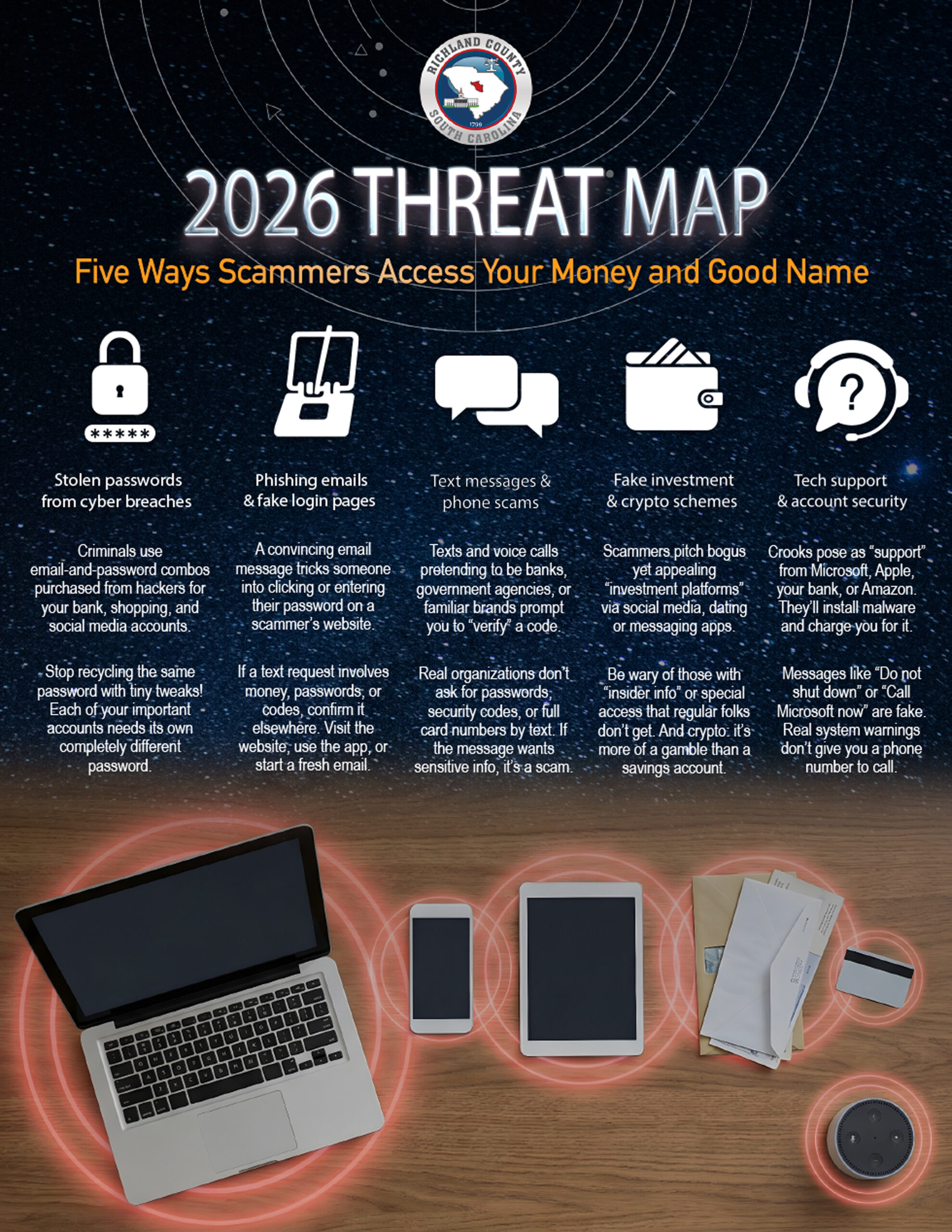
- In this edition: Five super-common ways scammers are stealing our money and personal information.
- An amazingly realistic video scam that’s using AI to target seniors.
- Mobile game players: did you know the story behind the ads for games on social media?
Live Cyber Poll
Cybersecurity News You Can Use

Be aware, gamers: mobile games are using misleading ads and sneaky design tricks to get you and your kids to disclose personal information and spend money in the apps.
You see ads for these games inside apps and games, where full‑screen clips pop up between levels or after you lose, and on Facebook, Instagram, TikTok, short‑video apps, and free weather, news, and puzzle apps.
Watch for these tricks.
- Some games place the “preview” and “buy” buttons very close together, or even swap their functions, so a single mis‑tap can cause a purchase.
- Many make it easy to tap to buy with one click, allowing kids and distracted adults to spend money without a clear confirmation step.
- Some in-game ads offer players in-game currency for completing surveys, but often, players never receive the promised rewards. Then, personal information collected from the surveys is sold to third‑party advertisers.

Players, unite and be smart!
- Turn off one‑tap purchases, require a password or biometrics for every transaction, and regularly review in‑app purchase history.
- Be skeptical of ads that show amazing gameplay or rewards; check independent reviews before downloading.
- Treat tiny or hidden “X” buttons, forced timers, or confusing reward offers as red flags and exit the app.
Update Your Password

PayPal has just reported another, relatively small breach, its third incident in a year. The company is rolling out stronger protections for its users, such as longer passwords, face or fingerprint logins, and two-factor authentication. But using them is still voluntary for now.
It’s worth using the extra safeguards you’re comfortable with, since they make it harder for criminals to get into your account even if your data leaks again.
One more thing...

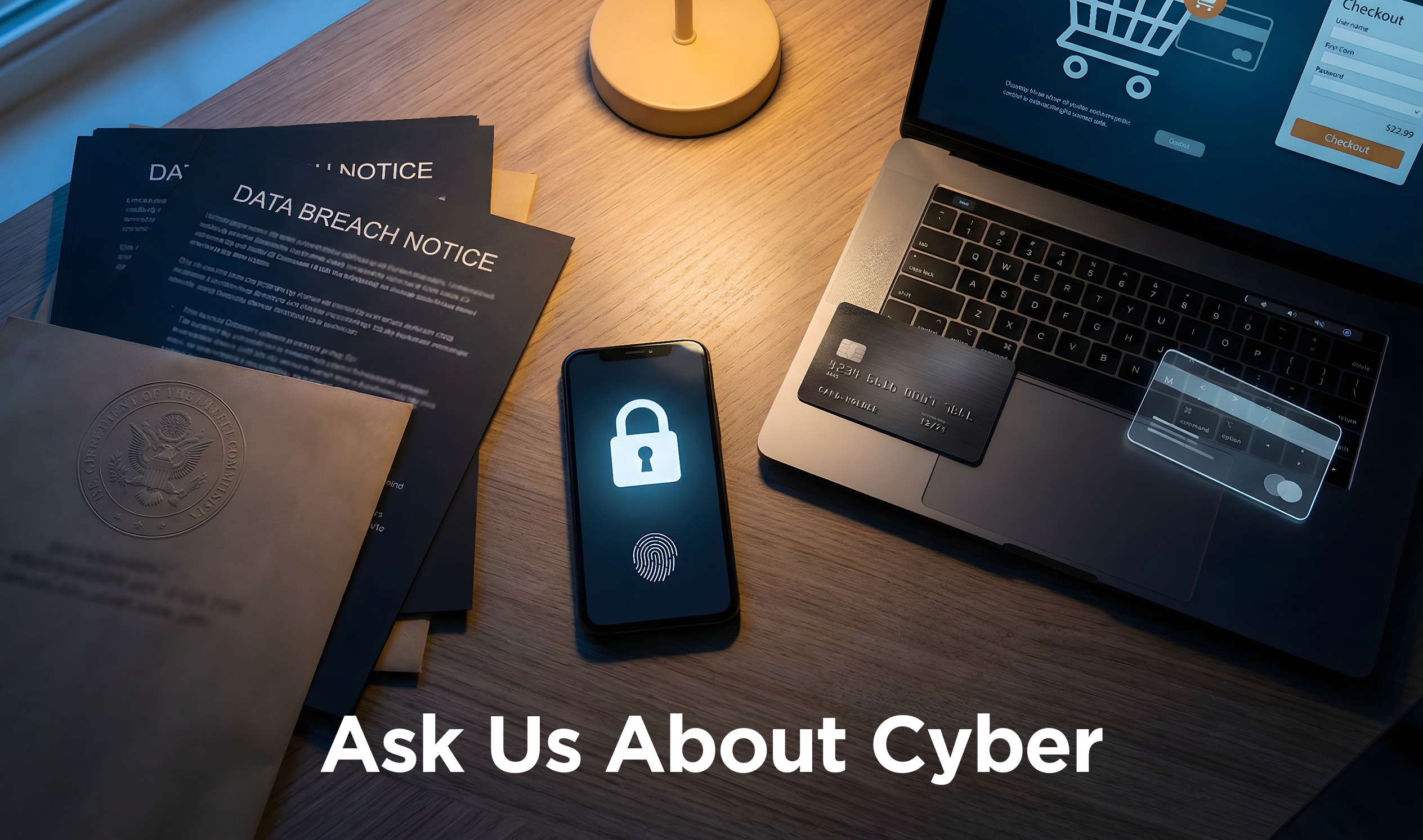
“If I set up a passkey to use my fingerprint or face scan, where is the information stored? And what happens to it if I lose my phone?”
When you use a passkey, your fingerprint or face scan never leaves your device. The website or app does not get a copy. If you lose your phone, sign in to your account on another device (like your home computer). Then turn off or delete the passkey stored on the lost phone. By the way, if you can, take that opportunity to remotely lock or erase the phone so no one else can use it.
If that was your only device, you’ll need to get into the account a different way: using your password, a code sent by text or email, or by calling the company’s tech support, and then set up new sign‑in options on your replacement device.
“I got a voicemail from someone claiming to be with the sheriff’s department, saying I needed to call immediately because I was about to be served with papers for a lawsuit. I know it’s a scam. But the caller knew my name, address, and social security number. That freaks me out. How do they know all that?”
All those cyber breaches you read about: that’s one source where scammers can buy stolen information. And there’s a lot of it out there. Last year, companies sent nearly 300 million notifications to people alerting them that their personal information had been stolen. The tech company Barracuda says 2/3 of those breaches included social security numbers, and 1/3 involved bank account information. So let that be a lesson: you’re not being sued! Just delete the voicemail.
“I went to buy something online, and the credit card company offered to give me a ‘virtual card.’ What is that? Should I do it?”
A virtual card is a temporary number your bank issues that’s linked to your real credit card. It keeps your actual number hidden when making a purchase online. You use it just like a normal card at checkout. It’s usually limited to a single purchase or merchant, and then you’re automatically issued a new one the next time. If you’ve enabled virtual cards in your web browser, the number will be entered automatically at checkout. If your bank offers it, say yes. It’s an easy extra layer of protection against fraud.
“What’s the single most important thing you can do to keep crooks from getting your personal information?”
The most important thing you can do is to stop clicking links in emails and texts. It’s why we keep repeating it in every newsletter! Most scams succeed because they trick us into clicking something that looks urgent and giving away our passwords and credit card numbers. If you go directly to websites and apps to check instead of clicking on the link in the email or text, you shut down the biggest way crooks steal personal information.
Send us your cybersecurity question for possible use in a future newsletter.
Cyber Content Archive: Always Available

Cyber cartoon © 2026 CartoonStock | Original content © 2026 Aware Force LLC