October is
Cybersecurity Awareness Month
- Special edition: How the Thermacell team is focused on protecting you at work and home this month
- Watch our new video exposing three scams readers are reporting.
- New iPhone means new text message rip-offs. Check out the clues.
- Plus, learn simple steps to stop violent videos from auto-playing on your social media feed.
This October, Thermacell is doubling down on cybersecurity!
Alongside our month-long Cybersecurity Awareness Campaign, we’re also highlighting our ThermaShield Phishing Program.
ThermaShield Phishing Program
Every suspicious email you report using the Phish Alert Button (PAB) or by emailing [email protected]
October Recognition:
- The winner will receive a gift card, and we’ll raffle off a second gift card to everyone who reports at least one valid email.
- A shout-out at the All-Hands Meeting
- Feature in the IT Newsletter
What’s Coming This Month
- Week 1 (Oct 6–10): Phishing in Teams, Slack, and LinkedIn
- Week 2 (Oct 13–17): The Power of Strong Passwords
- Week 3 (Oct 20–24): Spotting Spoofed Emails & Business Email Compromise (BEC)
- Week 4 (Oct 27–30): Protecting High-Risk Roles (“Very Attacked Persons”)
At the end of the month, we’ll announce our two ThermaShield Phishing Program winners.
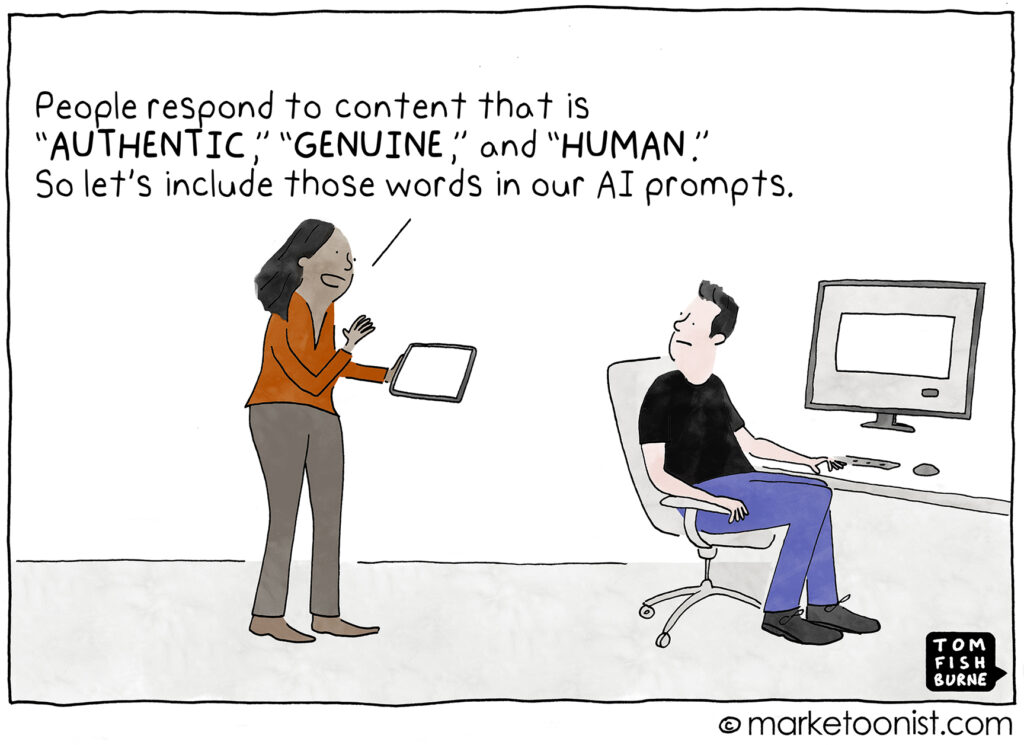
Using artificial intelligence, criminals are generating emails and fake websites that look very authentic, tailoring them to local banks, telecom providers, and government agencies.
This video spotlights three new scams that our readers have reported to us.
Cybersecurity News You Can Use
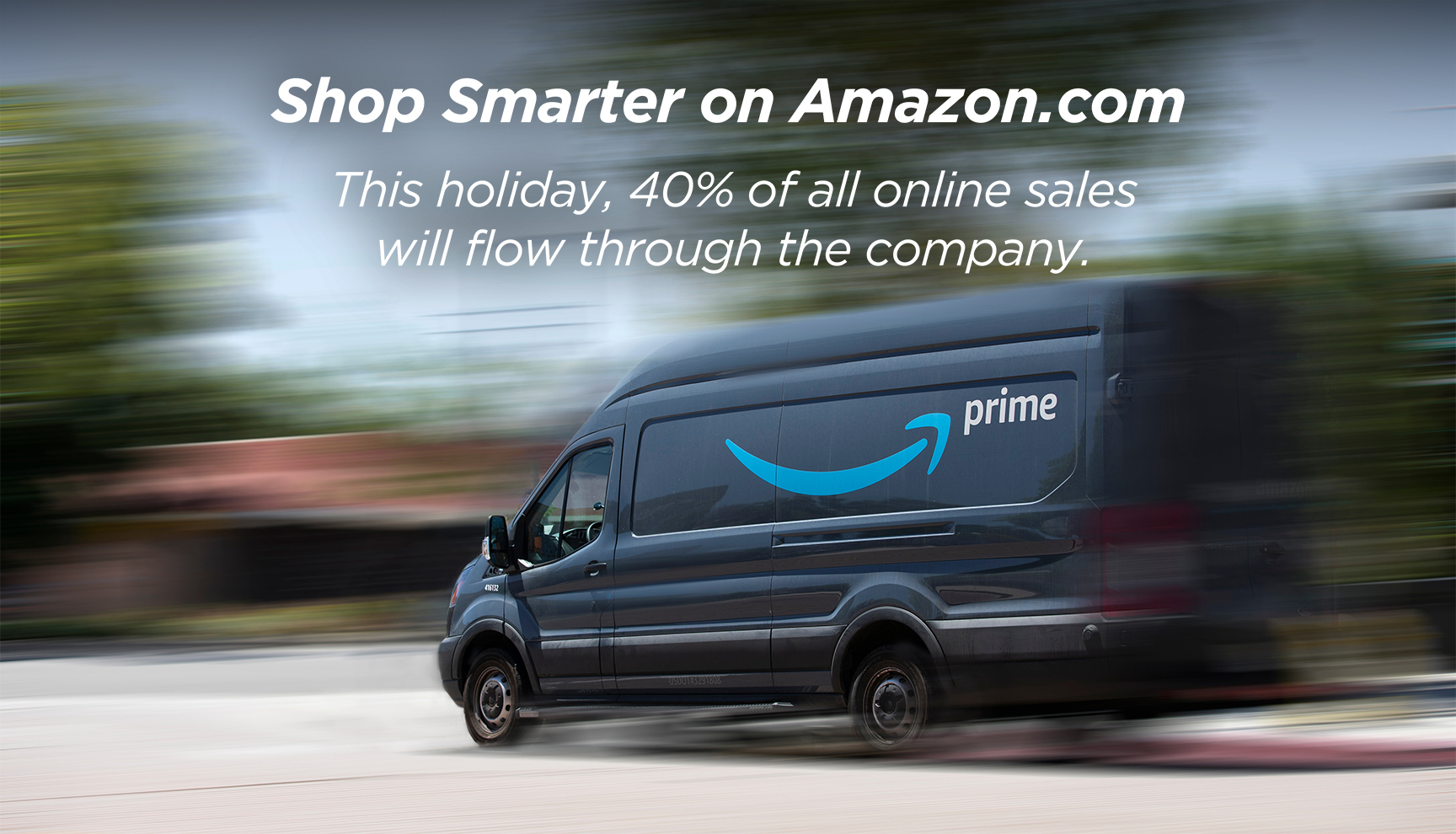
“Prime Big Deal Days,” Amazon’s annual 48-hour autumn sale, is October 7 and October 8. To give you an idea of the size of one of these Amazon events, during “Amazon Prime Day” in July, the company sold $24 billion worth of merchandise.
Keep this in mind if you shop on their website.
According to Cybernews, nearly half of Amazon reviews may be fake or manipulated. So, prioritize reviews marked “Verified Purchase” to spot reliable feedback.
Look for products with the labels “Fulfilled by Amazon” or “Ships from and sold by Amazon.com.” Those listings are handled directly by Amazon rather than third parties who use Amazon’s platform.
And if you get an email with a special Amazon offer, don’t click the email link. Go directly to amazon.com and search for the item yourself, because scammers commonly impersonate Amazon.
The company has two more events this year: Black Friday on November 28 and Cyber Monday on December 1.
Stay Ahead of the Curve

In this edition, we dig into two emerging phishing threats that go beyond the usual “click this link” scams:
- A new phishing kit called Salty 2FA that can hijack MFA flows and steal Microsoft 365 credentials
- A stealthy campaign dubbed ZipLine, where attackers initiate contact via your own website forms and slowly build trust before delivering malware

A new phishing-as-a-service platform called “Salty 2FA” is actively being used to bypass multi-factor authentication (MFA) and steal Microsoft 365 credentials. This sophisticated platform is being deployed in large-scale email phishing attacks across North America and Europe.
- The Lure: Attackers use common and believable lures, such as billing statements, payroll changes, or requests for proposals, to trick victims into clicking a malicious link.
- The Deception: The platform is highly advanced, able to distribute payloads, maintain dynamic infrastructure, and process various two-factor authentication methods, making it effective at bypassing security measures.
- The Goal: Once a victim falls for the trick, the kit steals their Microsoft 365 credentials, even if they have MFA enabled.
- Impact to Thermacell: Could let attackers break into accounts, steal data, or trick partners.
What you can do: Stay vigilant and carefully inspect all incoming emails. Even with MFA, social engineering attacks can be effective. Never click on suspicious links or download attachments from an unknown sender.
Learn more at:

A highly targeted phishing campaign, named “Zipline,” is using a unique social engineering tactic to trick victims in the U.S. manufacturing sector. Unlike typical attacks, this campaign starts by using a company’s own “Contact Us” form to initiate a conversation, which makes the initial contact appear legitimate.
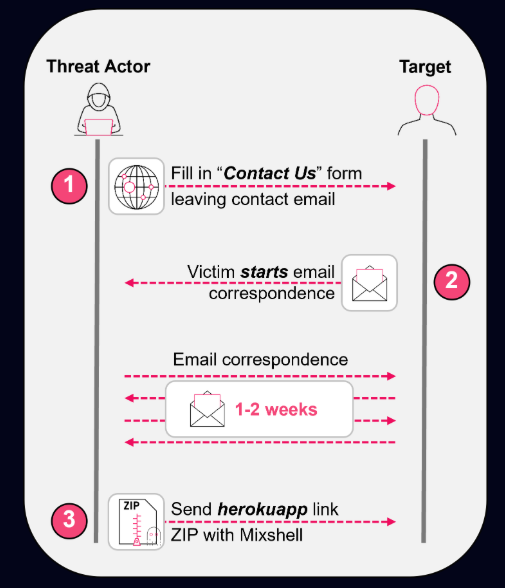
- Building Trust: The attackers engage in extended, seemingly normal email conversations with the victim, sometimes for weeks, to build trust before deploying any malicious content.
- The Attack: A custom malware implant called “MixShell” is delivered as a ZIP archive, often disguised as a legitimate document or assessment.
- Persistent Threat: The malware uses a clever trick to ensure it re-executes every time the computer restarts, making it a persistent and stealthy threat on the victim’s system.
- Impact to Thermacell: Could slip through partner conversations, leading to data theft or ransomware
What you can do: Be cautious of extended email conversations, even if they seem to come from a legitimate source. If a conversation feels unusual or a request seems out of place, verify the sender through a separate channel (e.g., a phone call).
Learn more at:
Phish of the Week
Scammers often ramp up text- and email-based phishing when Apple releases new iPhones. The messages often involve fake receipts and urgent payment notices that try to trick people into clicking malicious links or handing over account details. Here’s an example from a few days ago.
Drag the slider with your mouse to spot the clues it’s a scam.
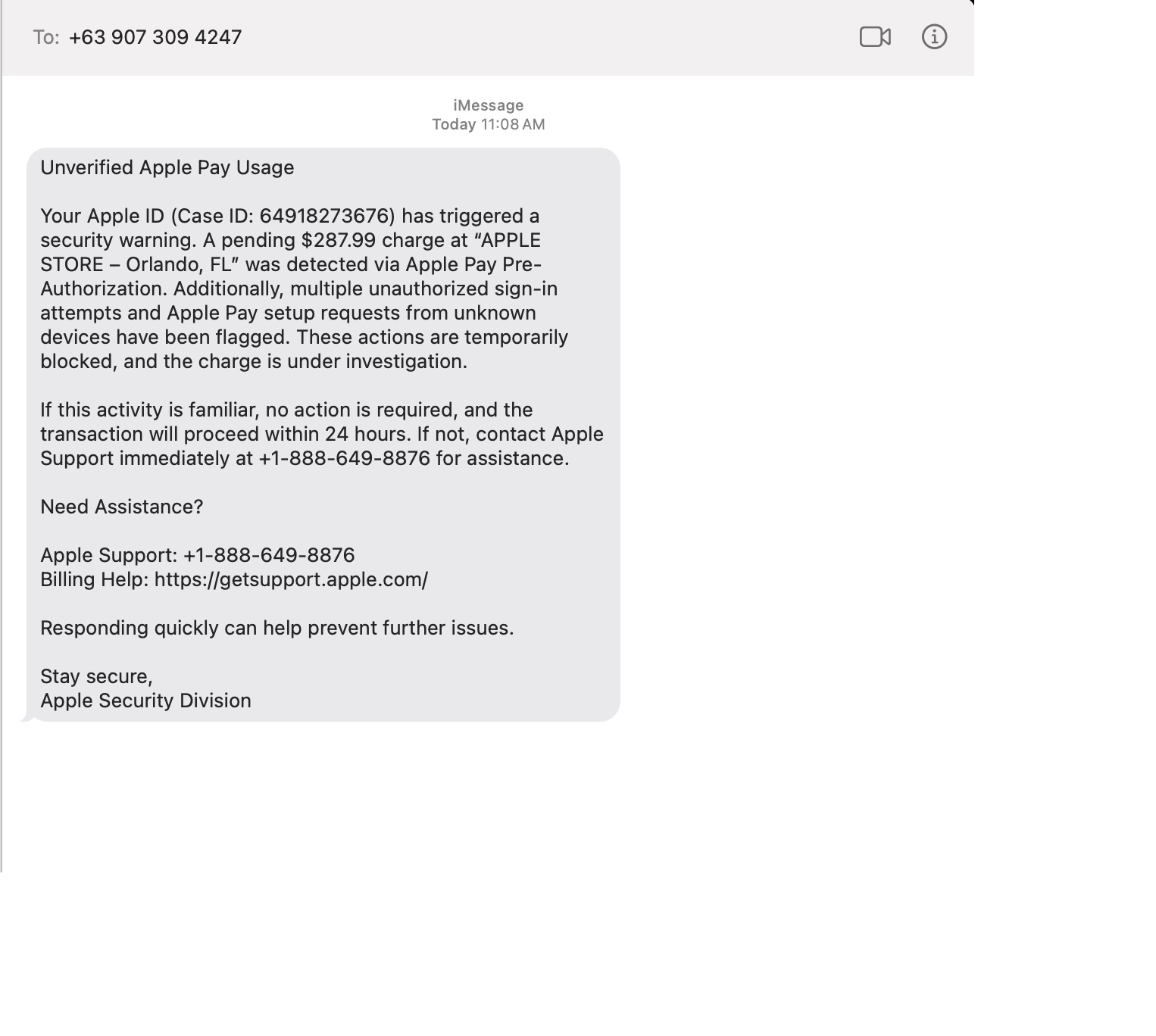
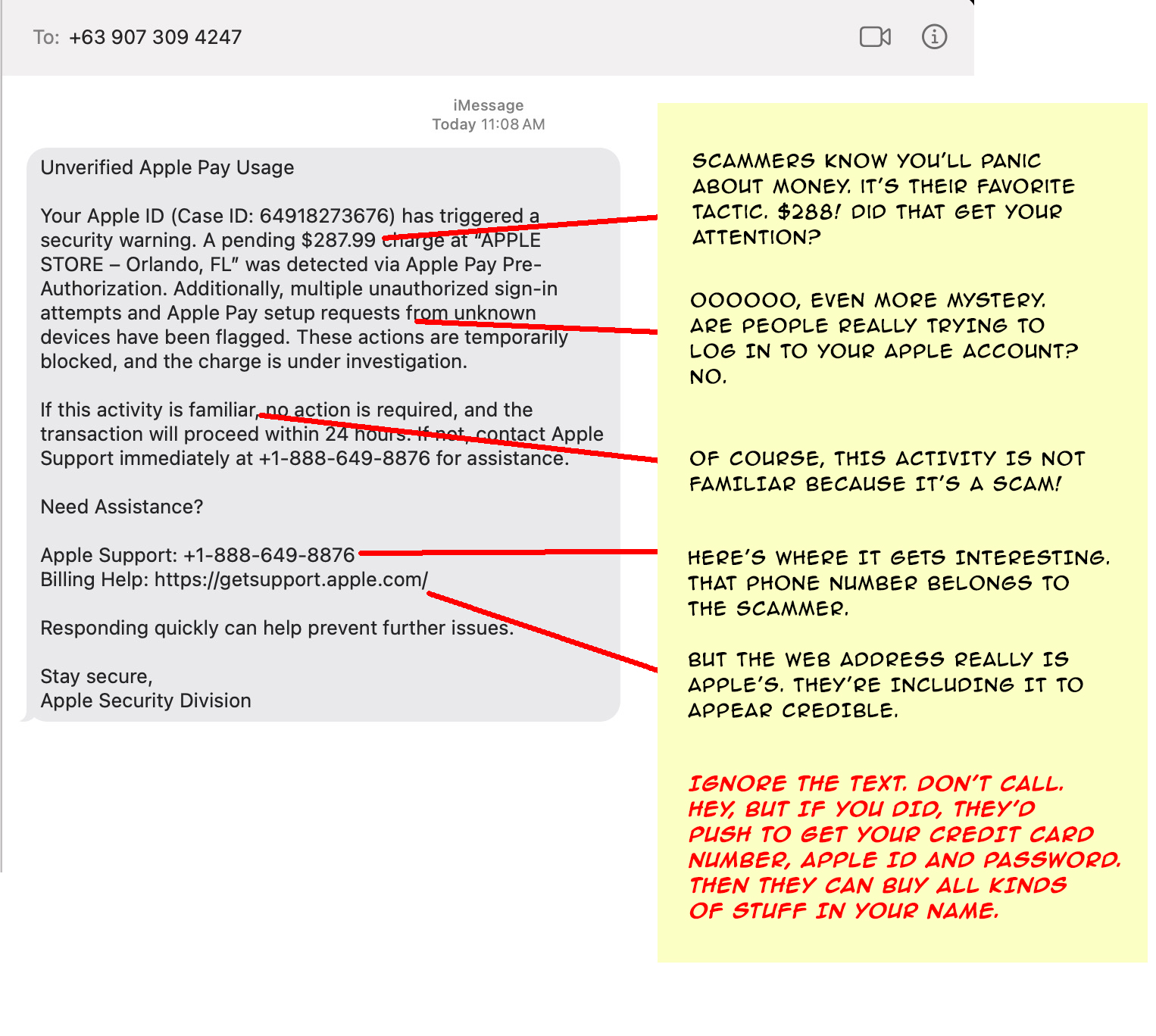
Remember: never open links in unexpected messages.
- To check on your account, open the Apple app or go to appleid.apple.com (type the address yourself).
- If a message seems suspicious, be suspicious! Don’t click on it.
One more thing...
Answers to Your
Cybersecurity Questions
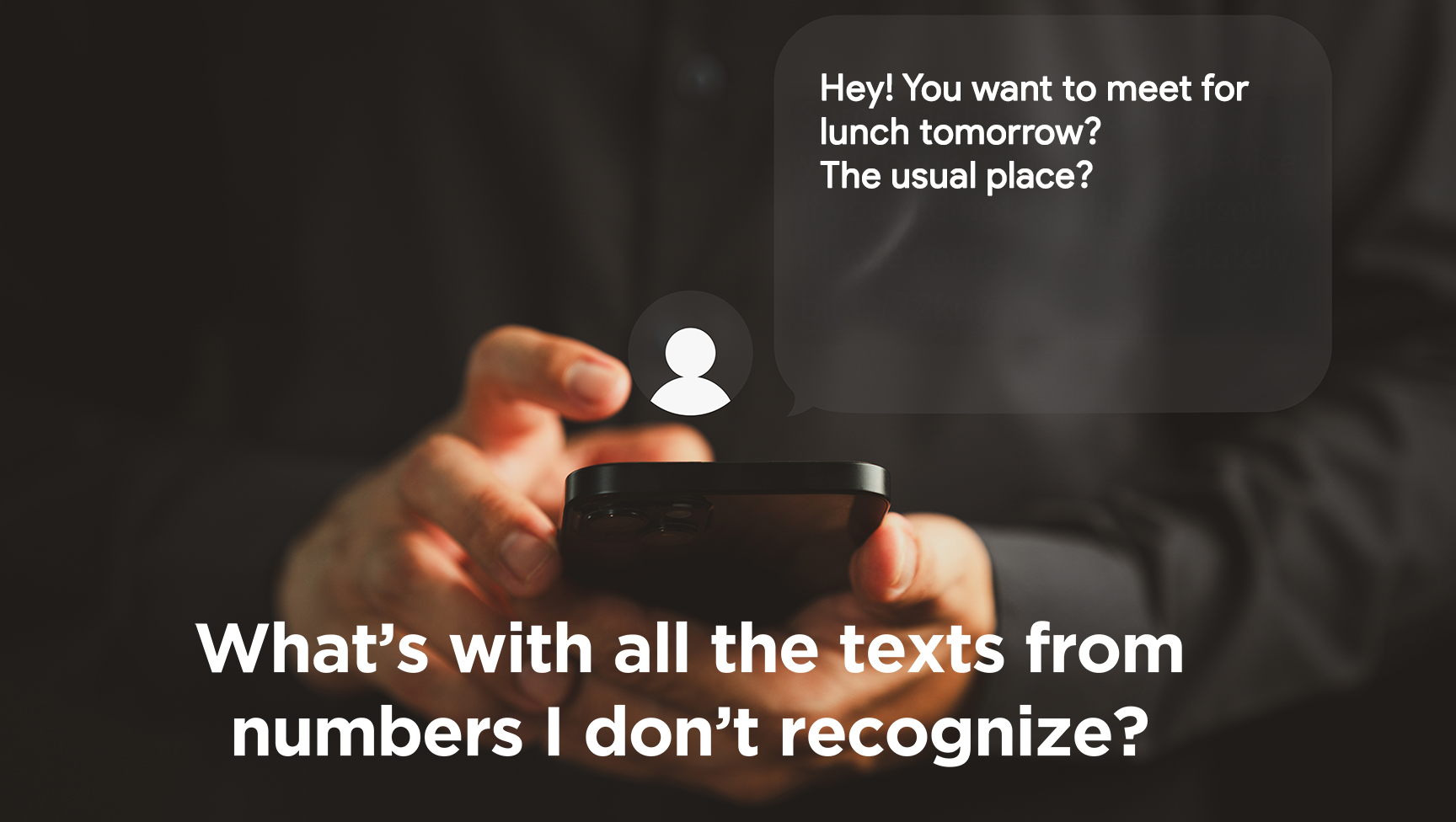
I just got another strange text message. They arrive multiple times a day. They don’t say who they are and then act like I know them. Should I respond?
You’re referring to messages like, “Are you feeling OK?” or “Let’s meet for coffee this week and catch up.” Another common one is “You showed up in my friends’ list. Do we know each other?”
Spam texting is one reason we alert you to companies that have suffered a cyber breach because that’s one way scammers get your cell number. If you respond to an anonymous text, they’ll know the number is active and try other ways to get a response. So, don’t respond. Delete messages you don’t recognize.
By the way, there is a solution to this, but there’s a tradeoff. Enabling “Filter Unknown Senders” (iPhone) or “Spam Protection” (Android) in your phone’s settings will hide unknown senders’ texts in a separate folder, but you’ll have to check that folder when you’re looking for one of those authentication codes to log into a website.
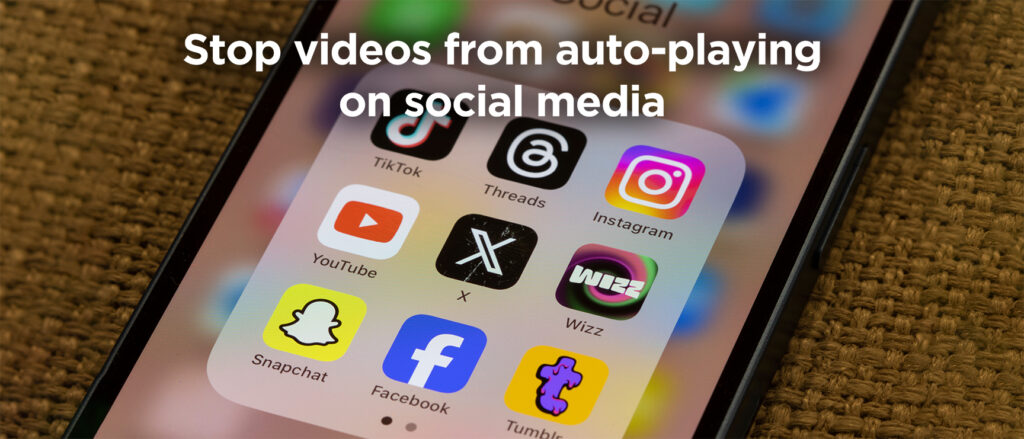
I have a terrible problem. My teenager is on social media all the time and the videos play automatically. There was an awful video on his feed and he’s very upset. Is there a way to change the settings so the videos don’t play?
Social media platforms prioritize keeping users engaged for as long as possible. Auto-playing videos is one way they do it.
Fortunately, you can turn it off. On TikTok, go to Settings → Accessibility → Autoplay and switch it off; on YouTube, toggle the Autoplay button at the top of the video player; and on Instagram and Facebook, disable autoplay under Settings → Media.
I get so many ads in my email, I am tired of deleting them all. How do I get off these lists?
Unfortunately, marketers can get your email address pretty easily. If you buy something online, chances are good they’ll sell your information to others. But here’s a trick.
If you use Gmail, make sure you’re logged in and visit mail.google.com/mail/#sub. You’ll see everything you’re subscribed to and manage all it in one place.
Outlook doesn’t have a direct equivalent to that. If you use the web for Outlook, Go to Settings (gear icon) → View all Outlook settings. Navigate to Mail > Subscriptions and unsubscribe from there.
No matter what app you use, if a sender looks suspicious, do not click the unsubscribe link because it can be abused. Instead mark the message as junk or block the contact.
Cyber cartoon © 2025 Marketoonist | Original content © 2025 Aware Force LLC