

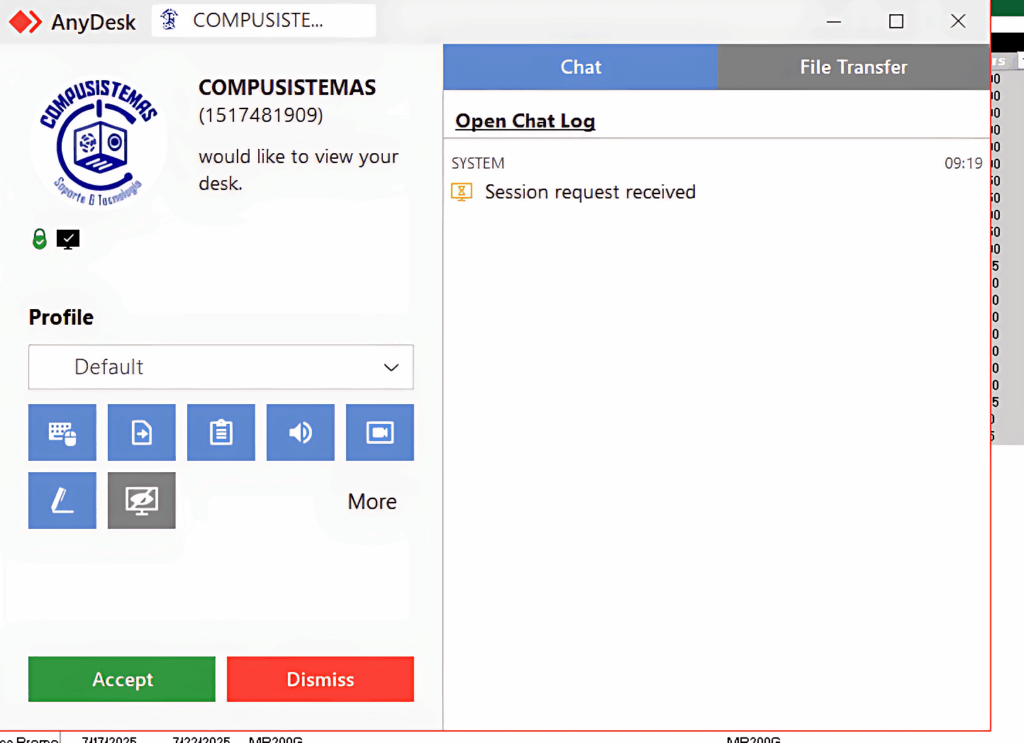
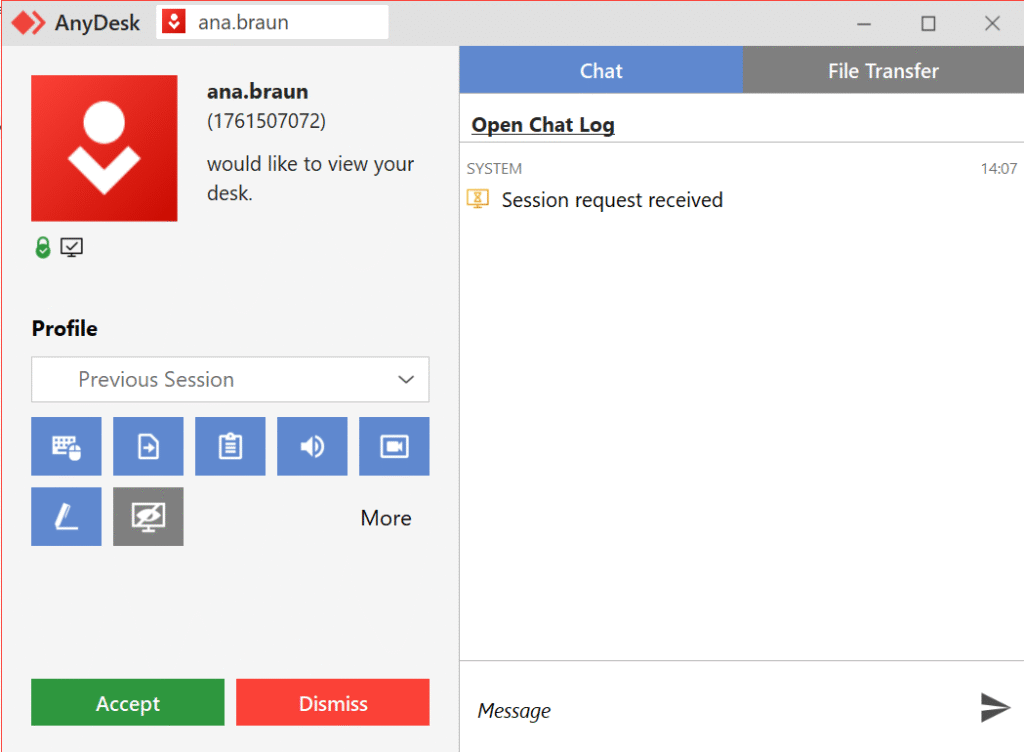
The Risk: Sending these requests is a common tactic that attackers use. Accepting them could have given the attackers complete control of her computer, allowing them to steal data or install ransomware.
The Response: Instead of clicking accept, Karissa and Grant immediately reported the activity. Our IT team responded instantly, blocking the unauthorized user and fully securing their machine, turning a potential breach into a security win.
Their actions are a perfect example of our most important security rule: See Something, Say Something. If you ever get an unexpected request, pop-up, or email, never approve it. Always report it.
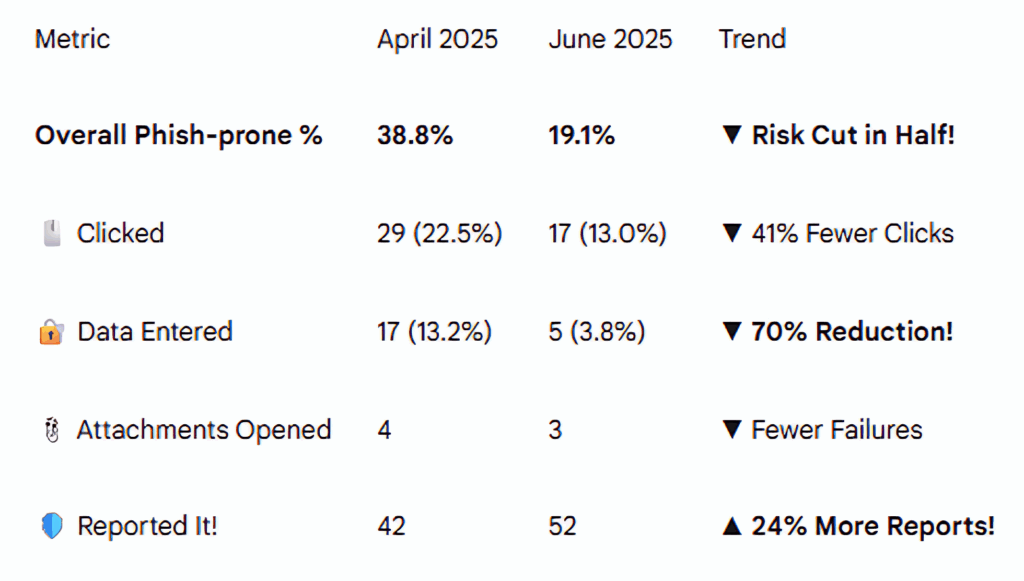
Phishing Test Results
Show Major Improvement!

Security Alert:
The Fake "Payment Warning" Scam
Be on the lookout for a scam email designed to make you panic.
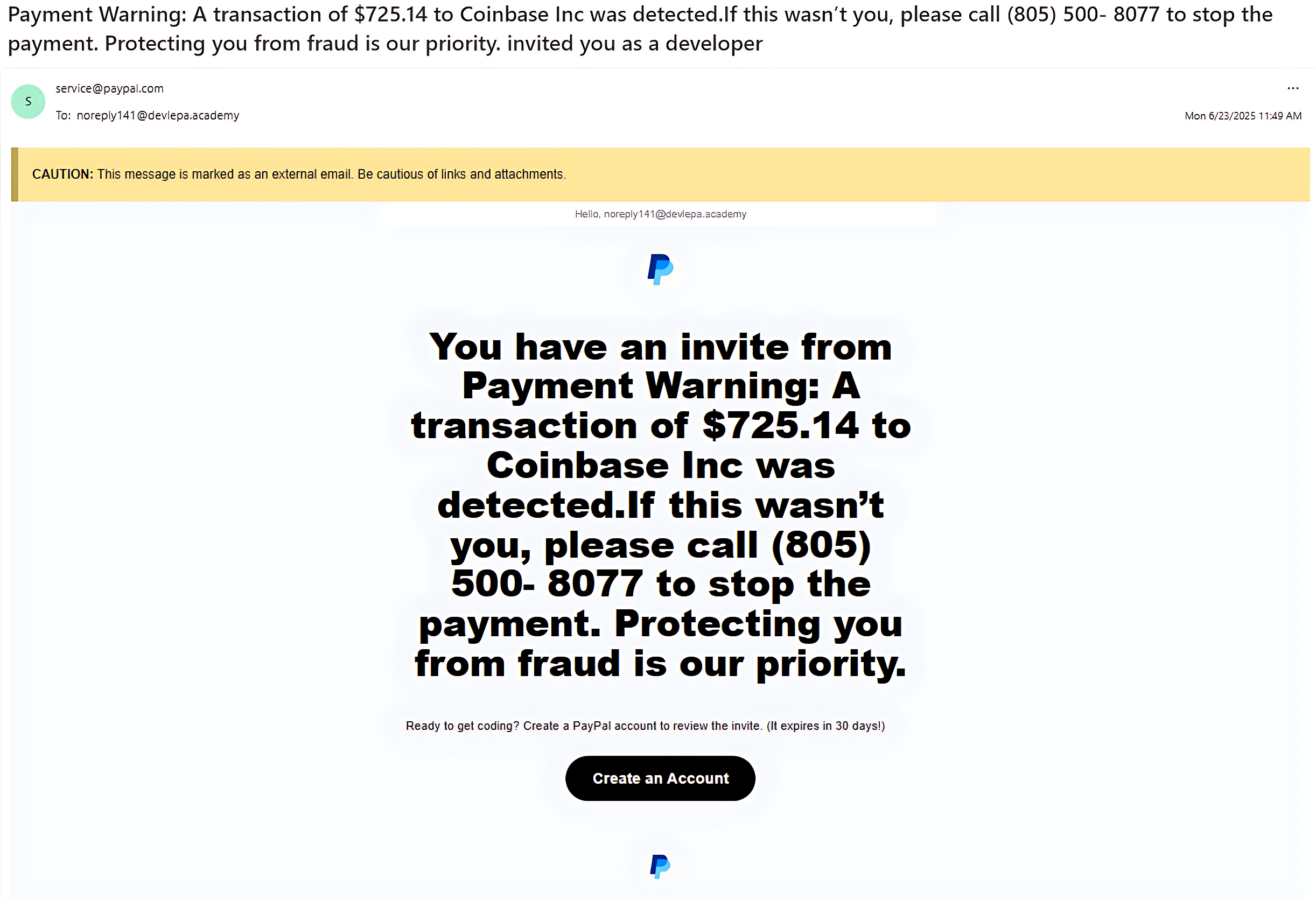
A real example recently received by a colleague claimed a large payment was made to “Coinbase Inc.” and urged them to call a phone number to stop the transaction. This is a trap!
The goal is “Vishing” (Voice Phishing): to get you on the phone with a live scammer who will try to steal your information or access your computer.
How to Spot This Phish: It’s the wrong sender. While the name says “[email protected],” the actual email address was from a strange, unrelated domain. Always check the sender’s full email address.
Urgent & Alarming: The message uses a large, fake transaction to create panic and demands you call a specific phone number immediately.
Unprofessional: The email may contain confusing messages (such as a “developer invite” mixed with a fraud alert) or a generic greeting.
The Golden Rule: Don’t Panic. Verify Directly.
If you receive an email like this:
- NEVER call the number or click any links.
- ALWAYS verify by logging into your account on the official website yourself to check for any real alerts.
- REPORT the phish to the IT Department so we can block the source.
Staying skeptical is your best defense.

Cybersecurity News You Can Use

MAKE IT STOP! Robocalls are up 10% during the first half of this year, especially telemarketing calls generated by AI. We’re talking nearly 30 billion calls, in all! And if you’re getting more than your share, it could be because of what you’re doing on your social media feeds.
- If your phone number is visible on your social media profile, even just to “friends,” on your online bio, or a business post, it can be scraped and sold to spam call lists. Check LinkedIn, in particular.
- Oversharing personal details like your job, birthday, or recent purchases helps scammers craft targeted, believable calls.
- Accepting friend requests from strangers can expose your contact info to bad actors posing as real people.
- Engaging with quizzes, or “comment to win” posts can easily link your profile to scam databases.
Four steps to managing the flood of calls:
- Keep your number private. Don’t ever include it in what you post.
- Enable call-blocking features on your phone (such as “Silence Unknown Callers” on iPhone or call-blocking tools on Android).
- Consider subscribing to call-blocking apps like Hiya, Robokiller, or Truecaller or carrier-provided solutions (like AT&T ActiveArmor, Verizon Call Filter).
- And if you get an unidentified call, let it go to voice mail.
Update Your Passwords Now
These organizations say they have been hacked recently. If you do business with any of these companies, change your account password and use two-factor authentication wherever possible.


One more thing...

Answers to Your
Cybersecurity Questions

“I was scrolling TikTok and came across a video that showed me how to get Spotify for free. My Spidey sense told me this is a scam. Is it?”
It’s a scam, yes, and a sneaky one that is appearing quite often on TikTok feeds.
The video promises a “quick fix” to get free access to Microsoft Word, Spotify, CapCut, and other software. The video instructs you to “press Windows + R and run PowerShell commands.”
But what it really does is install malware on your computer. Ignore the instructions. Your Spidey sense is correct.
TLDR’s cyber news service reminds us to download TikTok only from official app stores. A new, dangerous version of TikTok is being promoted on websites and social media that takes screenshots of your phone as you’re using it and transmits the images to scammers.

“More and more homes and businesses have security floodlights, cameras, and ‘Ring’ doorbells. Should we assume we are always being recorded, and is our voice also being recorded for the property owner?”
Generally, yes, you’re being recorded a lot more than you might think. Ring doorbells, for example, record sound up to about 20 to 25 feet from the device. In many cases, both audio and video are saved to the owner’s account and can be reviewed by the property owner at any time.
In the U.S., laws vary by state, but in most public settings, there’s no reasonable expectation of privacy, meaning it’s generally legal to record you without your consent. Wired reports that for audio recordings, some states require two-party consent to record conversations. However, if you’re speaking loudly near someone’s property, it may still be recorded and considered lawful.
In Europe, privacy laws are tougher. To avoid capturing your neighbor’s property or public areas beyond your boundary, it is recommended that you adjust the motion and audio zones on your device.

“How do videos that put words in a person’s mouth affect security? I’ve seen video posts where you hear the person say something; the words were not their own but actually AI-generated.”
These are called “deepfakes.” As AI-generated videos become increasingly convincing, cybercriminals are using deepfakes of executives, HR reps, or family members to trick people into transferring money, divulging credentials, or installing malware on their computers.
A deepfake can also depict public figures making offensive or illegal statements, thereby damaging their reputations, careers, or public trust.
It’s only going to get worse, and unfortunately, being skeptical will be your main line of defense.
Cyber cartoon © 2025 Cartoonstock | Original content © 2025 Aware Force LLC