
Cyber Circular Information Security Newsletter text over a digital circuit board background with a padlock symbol representing cybersecurity.

June 2025  |  10 minute read

The Information Security Team is excited to provide its monthly newsletter,
keeping the Fitch community informed and engaged in cybersecurity.

Accept all header b

Did You Notice Last Month's Phishing Attempt?

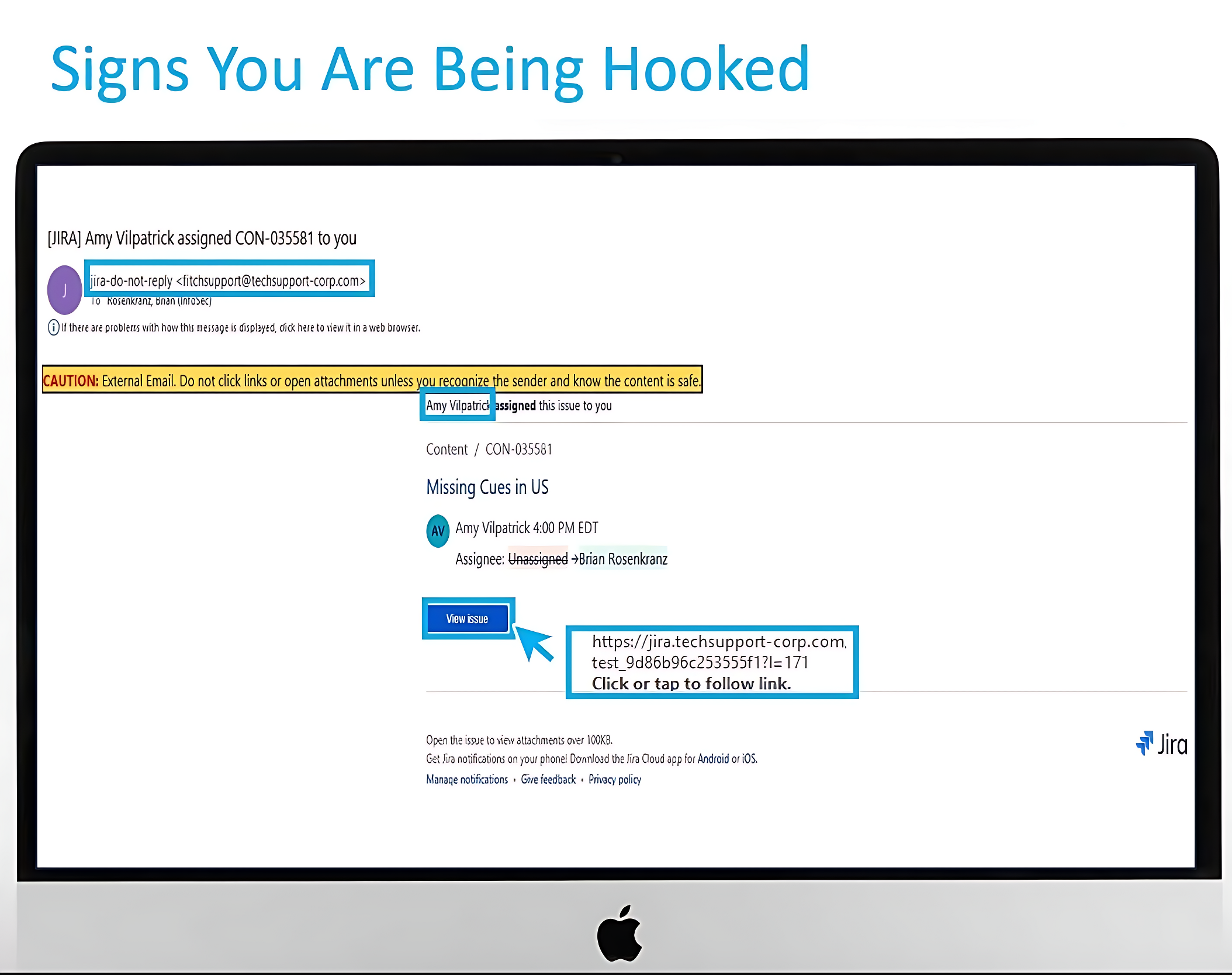
In May, all employees were targeted by a phishing campaign disguised as a Jira ticket being assigned to you. 

This scam cleverly exploited the trust you might feel when receiving what appears to be a legitimate ticket notification from within the company.

Fitch image revised

Be on the lookout for suspicious Jira ticket notifications or unexpected links, and never take action on tickets that seem unusual or come from unfamiliar sources.

Quick Stats

Approximately 6000 Fitch employees were part of the May phishing simulation. Of this population, 26% reported the phish and 23% failed the simulation (i.e., clicked on the link).

Screenshot 2025 06 09 at 9.25.33 pm
Fitchgroup phish tank e

Ready to brush up on your phish detecting skills?

Phish Tank is your essential resource for exploring phishing examples from Fitch’s simulation program. These simulations, based on real attacks, enhance your ability to recognize and deflect phishing attempts, helping you better protect against cyber threats. Explore now.

Did you receive an email that looks suspicious?

If you spot a sketchy email in your inbox, use the phishing button in Outlook. It’s a quick and easy way to keep our digital space safe and sound. By flagging these suspicious messages, you’re playing a vital role in protecting our data and avoiding harm to the company.

You can report a suspected phishing email here, and we’ll investigate it right away. It’s a quick and easy way to keep our digital space safe and sound. By flagging suspicious messages, you’re playing a vital role in protecting our data and avoiding harm to the company.

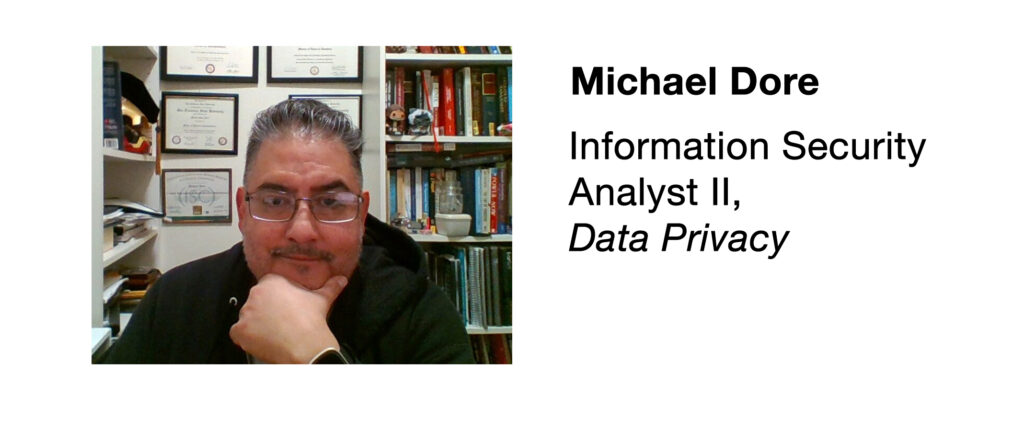
Meet the Information Security Team

June 1 1 fitch profile
  1. What inspired you to pursue a career in data privacy, and what excites you the most about this field?
    I love that privacy/security are constantly evolving. It takes work to stay on top of the landscape, but it is very rewarding. Privacy is a human right and should be protected.
  2. What’s your favorite aspect of being part of the data privacy team, and how do you work together to keep things secure?
    We have a great team. We are very collaborative and responsive and have a common goal which is to make sure we are doing the right thing in the right way.
  3. What’s one thing every employee can do to help protect our company’s data?
    Err on the side of caution. If you are not sure about something or if something seems fishy reach out to the appropriate team or your manager.
  4. What are the biggest challenges you face when ensuring compliance with global data privacy regulations like GDPR or CCPA?
    We all want to move quickly. The biggest challenge is making sure that we have thought through all of the nuance of the privacy landscape. In theory it is very straightforward but in practice there are many stones along the path.
  5. What are some common misconceptions employees might have about how GDPR or CCPA applies to their work, and how can we clear up those misunderstandings?
    Not super common, but the most challenging thing is managing perspectives. Occasionally, people approach compliance as a game or as a hurdle that they think can be overcome by being clever or finding a loophole. Realistically, the place to start is by understanding is by keeping the goal in mind, which for Privacy is protecting the rights and interests of people which includes our customers and our staff.

Cybersecurity News You Can Use

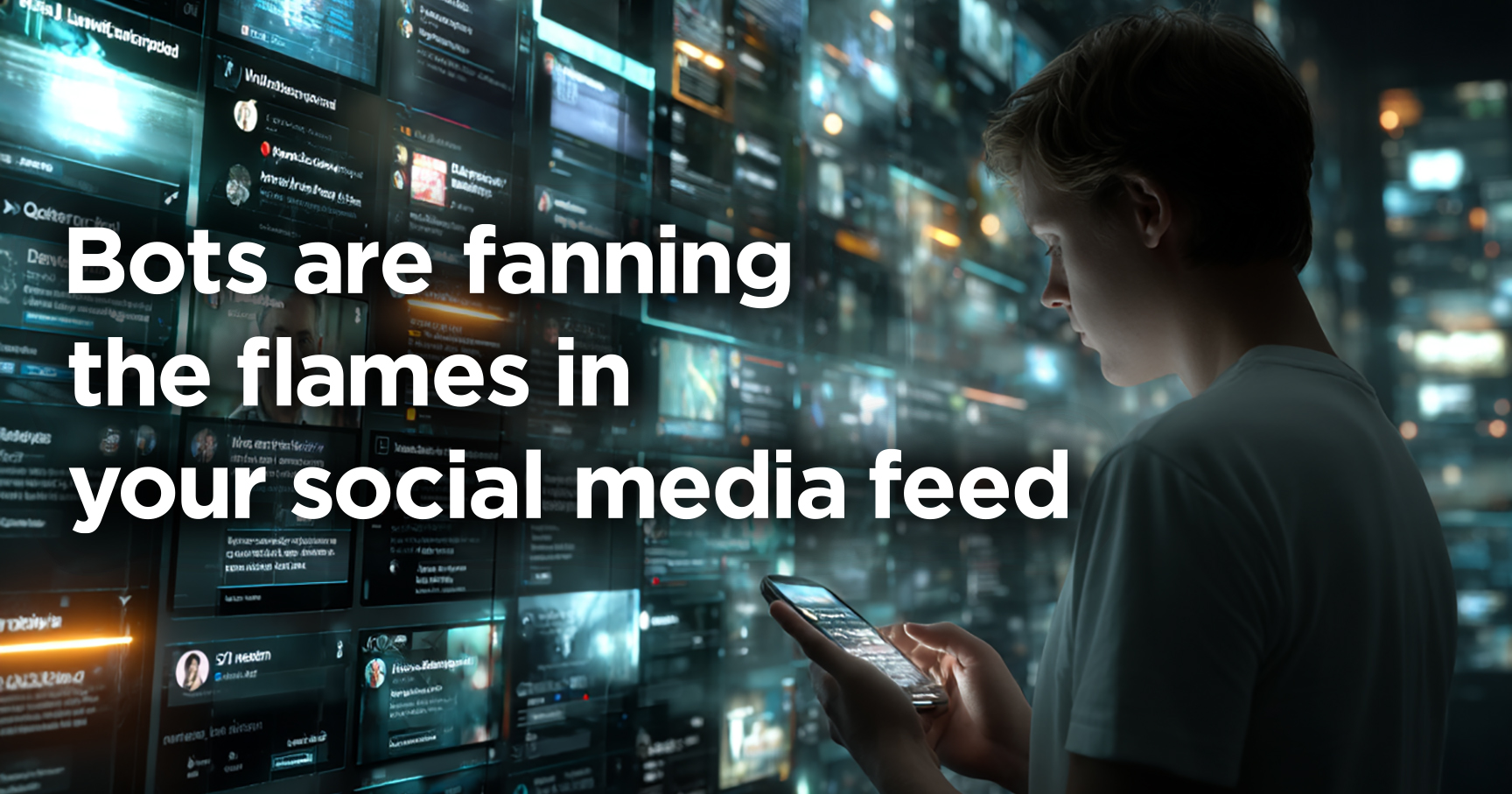
Bots fanning flames graphic

The next time you come across an outrageous post on social media, take a moment to pause and think.

Scammers are using AI to create tens of thousands of fake political accounts on platforms like Facebook, X, and LinkedIn. These accounts post provocative content designed to provoke anger and manipulate real users.

According to TheHackerNews, these campaigns often originate from foreign actors aiming to cause division, political groups trying to influence opinion, and cybercriminals testing ways to profit from engagement.

AI technology is making it easier to generate convincing, emotionally charged comments — even in native languages the scammers don’t speak, and automated tools then flood online conversations with these posts.

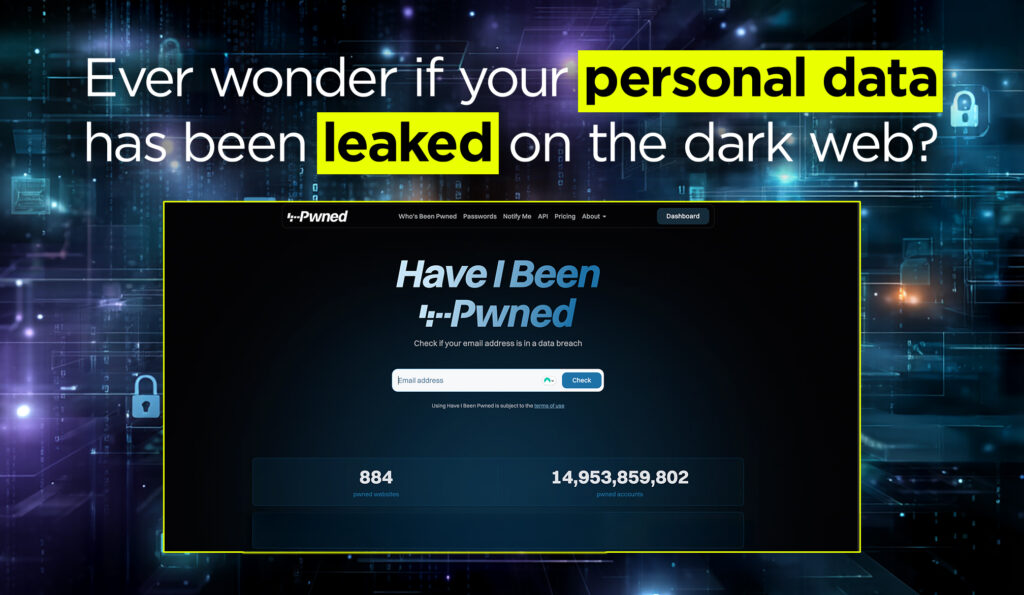
Haveibeenpwned

Haveibeenpwned.com, the popular website for checking if personal data has been exposed in data breaches, has launched a new version with a streamlined design, faster search, and improved monitoring tools.

When you enter your email address, the website checks it against a database of known breaches without storing information about your search.

And for searches of stolen passwords, it uses a technique called k-anonymity, which allows you to check if your password has been compromised without revealing the actual password to the website.

In this new version of the website, support for username and phone number searches has been removed.

23 and me graphic edit

Here’s an update on the story we covered earlier this year: the bankrupt DNA-testing firm 23andMe has agreed to sell its vast genetic database, which contains data from 15 million people, to drugmaker Regeneron. 

While Regeneron promises to uphold existing privacy protections, consumers remain uneasy about the long-term use of their sensitive health data, especially following 23andMe’s data breach two years ago.

The New York Times reports that a court-appointed ombudsman will oversee the deal, but the sale puts renewed focus on how companies monetize personal DNA and whether consumer consent truly ensures lasting control.

These organizations say they have been hacked recently. If you do business with any of these companies, change your account password and use two-factor authentication wherever possible.

June 1 logos b

Phish of the Week

You get an urgent voicemail:
“Your subscription is about to renew, but your credit card was declined.
Call us immediately to update your payment.”

If you call the number and give them your card information,
you’ve just handed it to a scammer.

Click the button to listen to the voicemail.

Don’t even return the call. Delete the message.

Protect Your Most Sensitive Data – And How to Do It

Protect Your Most Sensitive Data

Don’t let hackers steal your identity, money, or secrets – learn what to safeguard.

What to Guard: Your Digital Assets

Understand the key types of data that criminals target, and why they matter.

(Click cards to expand)
Personal Info Icon Personal Info (PII)

What: Names, addresses, ID numbers – anything that identifies you.

How: Limit what you share, use privacy settings, guard personal documents.


Financial Data Icon Financial Data

What: Credit card and bank account numbers, financial records.

How: Use secure (HTTPS🔒) sites/apps, never email banking details, monitor accounts.


Login Credentials Icon Login Credentials

What: Passwords, PINs, authentication codes for accounts.

How: Enable 2FA, use strong unique passwords, use a secure password manager.


Health Records Icon Health Records

What: Medical history, prescriptions, insurance info – highly sensitive.

How: Keep private, share via trusted channels only, use secure patient portals or encrypted files.


Intellectual Property Icon Your Job’s Intellectual Property

What: Trade secrets, designs, client lists, strategy docs.

How: Limit access,label as “Restricted/Confidential”, encrypt files, use NDAs.


Business Confidentials Icon Employee Information

What: Social Security numbers, salaries, contact & HR records.

How: Encrypt storage, restrict access, train HR, secure document disposal.



🛡️ Stay Safe: Security is a Daily Habit!

By using strong security measures like encryption, 2FA, and backups, and staying alert
you can greatly reduce the risk of a data breach.

Want to learn more?

Visit us at the Information Security Team FX site for helpful resources

or contact us at information.securitygroup@thefitchgroup.com

to share interesting articles or suggestions for future newsletter topics.

One more thing...

June 1 one more thing

Answers to Your
Cybersecurity Questions

“I read that virtually everyone’s social security number is available to hackers on the dark web. Do I even need to worry about this?”

A stolen Social Security number can be used to open financial accounts in your name, even if you’ve frozen your credit with the big three credit agencies, because many financial institutions don’t check your credit report when verifying your identity.

Gary Warner, Director of Research in Computer Forensics at the University of Alabama at Birmingham, says he recently received a tax form for $16,000 in transactions from a fraudulent CashApp account opened using his stolen data.

Though the platform ultimately confirmed the erroneous tax form wouldn’t be sent to the IRS, the discovery highlights how damaging and disruptive identity theft can be.

One lesson: freezing your credit isn’t enough. You also need to place a security freeze with ChexSystems (www.chexsystems.com/), which helps block new deposit or financial accounts from being opened in your name. It’s free to do this in most states, but some states allow a charge to lift the freeze temporarily.

Organizations like the Identity Theft Resource Center (www.idtheftcenter.org/) also offer free tools like Frozen Pii to help you place all necessary freezes.

“Your video about AI clones stealing our voices off social media posts has spooked me, so I’ve stopped posting videos on Facebook. Is there anything else I can do?”

Here’s guidance from Zander ID Theft Solutions: Take your voice off your voicemail greeting on your phone. When someone calls you and gets your voicemail, instead of hearing a prerecorded greeting of my voice saying “Hello this is Brian, leave a message”, etc.…now they just hear the automated “The person you are dialing is not available” message.

One less place that someone could try to clone someone’s voice.

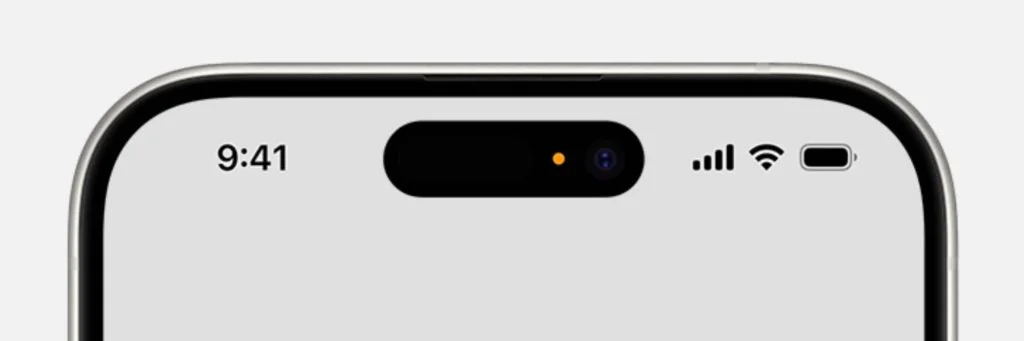
“Sometimes, I see an orange dot at the top of my iPhone. What does that mean?”

Iphone orange dot

If you notice a small orange dot at the top of your iPhone screen, it means an app is using your microphone. This dot doesn’t mean you’re being secretly recorded; it simply shows that the mic is active, often for expected reasons like voice messages, video recording, or voice search.

However, if the orange dot appears while you’re just scrolling or not using any audio features, it could mean an app has unnecessary access to your phone’s mic.

To check which app triggered it, swipe down from the top-right corner of your iPhone to open the Control Center. Then go to Settings > Privacy & Security > Microphone and turn off access for any app that doesn’t need it. 

Send us your cybersecurity question for possible use in a future newsletter.

Cyber cartoon © 2025 Cartoonstock | Original content © 2025 Aware Force LLC