
Data Privacy Week is an international effort to empower individuals and businesses to respect privacy, safeguard data and enable trust. Fitch’s Data Privacy week will run from January 21st to January 24th, 2025. This campaign seeks to raise awareness about personal data collection and equip you with the tools to effectively manage your information and make informed choices about data sharing. Additionally, you’ll gain insights on handling data privacy concerns as a Fitch employee. The event lineup includes a variety of engaging sessions, including a workshop on how to respond to a data breach incident at Fitch, an escape room in London (back by popular demand), as well as virtual trivia/truth vs. myth data privacy games. Stay tuned for updates on FX!

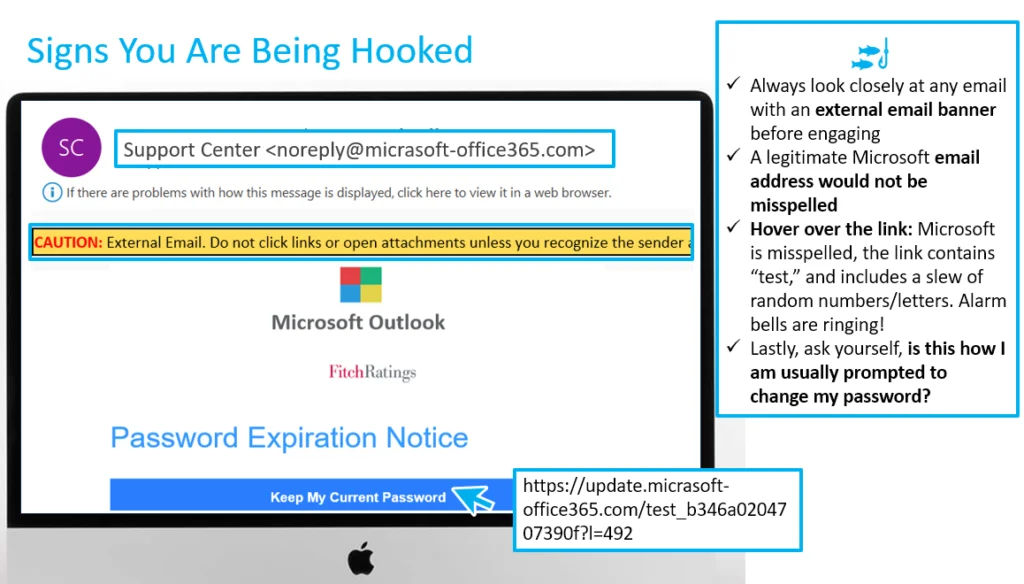
Did you catch last month’s phishing email? The November phishing campaign featured a mock Microsoft password expiration notice. Password expiration notifications are a common phishing tactic. Attackers send emails that appear to be from legitimate sources, urging you to update your password via a link. This link leads to a fake login page designed to steal your credentials, creating a sense of urgency to trick users into providing sensitive information. Take a look below to learn how to detect this tactic in the future:
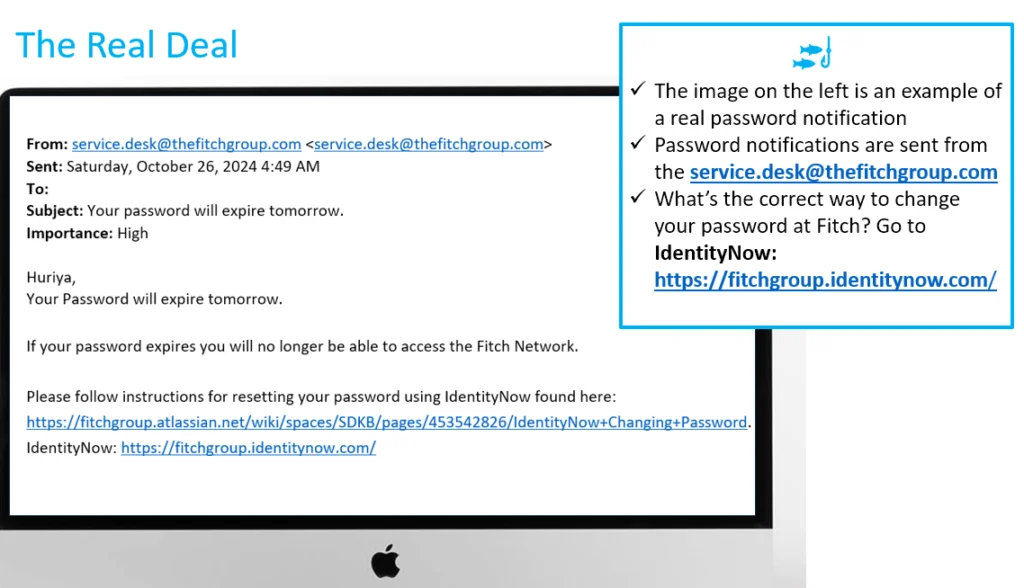
Below is a real-life example of a password expiration notice at Fitch. If you are ever in doubt, navigate to Identity Now, which is the correct way to change your password at Fitch:

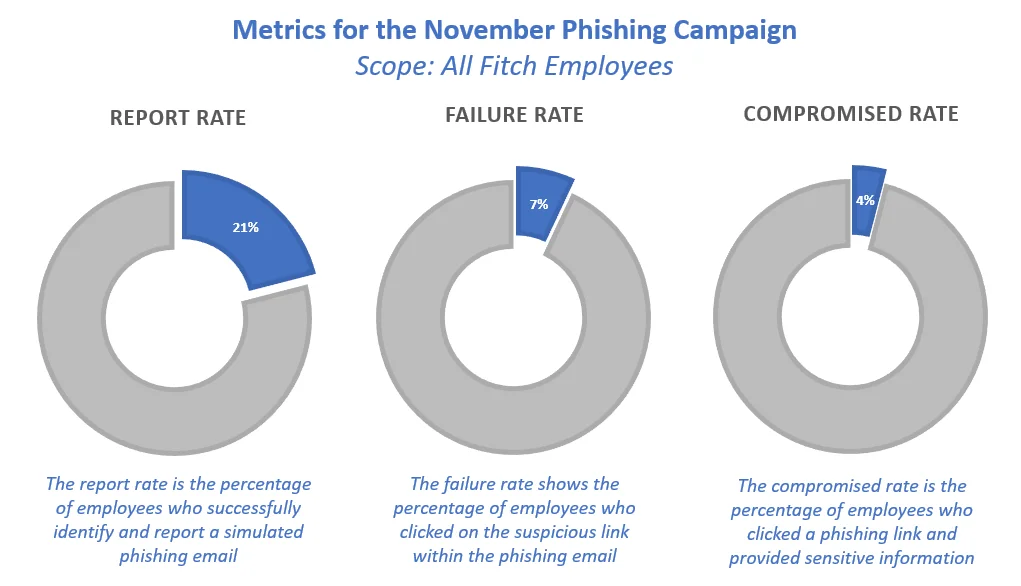
All 5908 Fitch employees received this phish; 21% reported it; 7% failed the simulation (i.e., clicked on the link), while 4% inputted their credentials. Please be assured that if you typed in your credentials, the system only records whether the information was inputted. It does not record the information itself (i.e., your password).
Need to brush up on your phish detecting skills?
Phish Tank is your go-to resource for exploring phishing examples from the Fitch phishing simulation program. These simulated phishing emails are inspired by real-world attacks designed to enhance your ability to recognize and deflect phishing attempts. Studying these examples can sharpen your skills and better protect yourself against cyber threats. Take a look here.

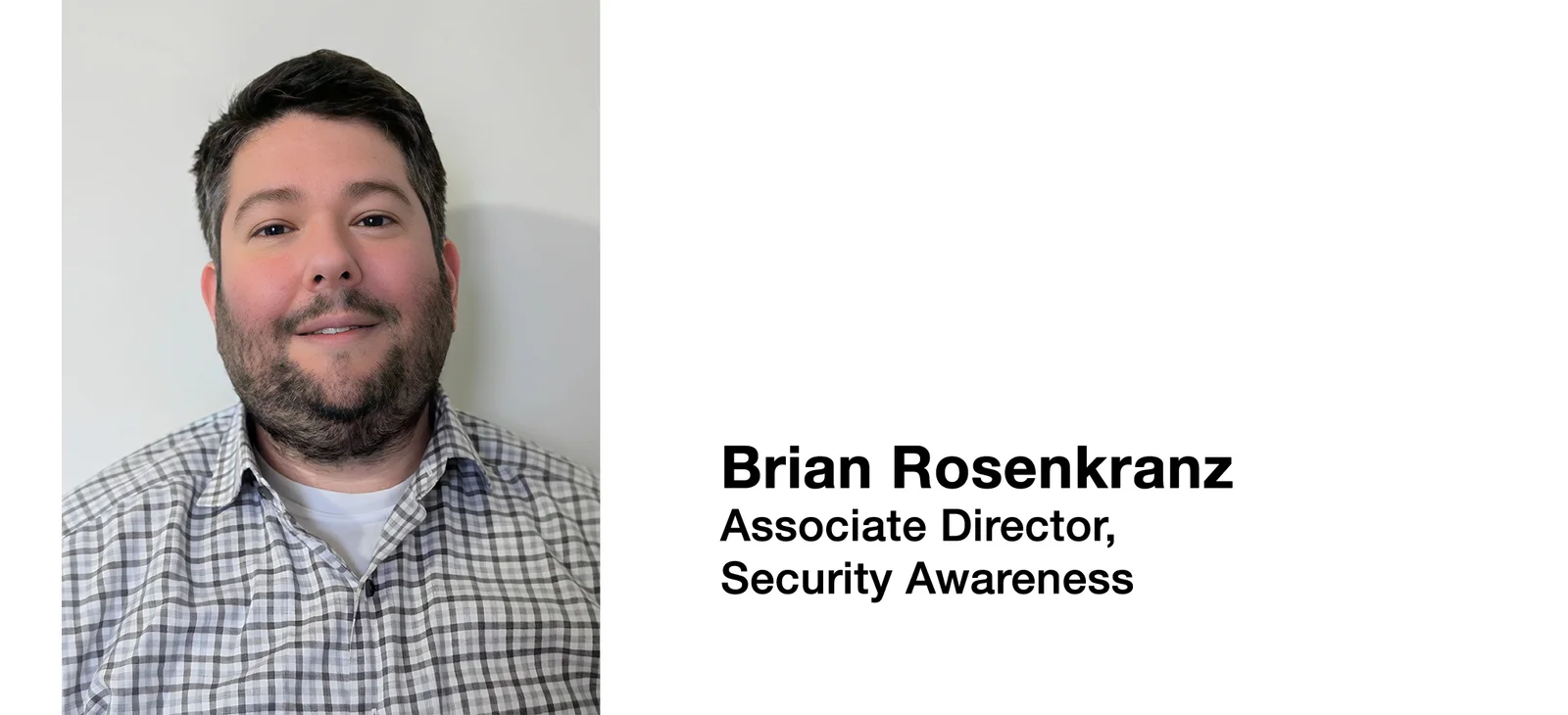
This month, we welcome Brian Rosenkranz to our Technology Risk team as an Associate Director on the Security Awareness team. Brian brings a strong background in information security, crisis management, and corporate intelligence, with experience in federal agencies like the Department of Homeland Security and the Department of Veterans Affairs. Recently, he’s worked in the media and entertainment sector at Paramount and the National Football League.
In his new role, Brian will be responsible for:
- Designing and delivering engaging cybersecurity training sessions and awareness campaigns.
- Developing role-based awareness training.
- Executing firmwide phishing testing programs.
- Publishing monthly cybersecurity newsletters.
- Working closely with various business units to ensure alignment and support for awareness activities.
Please join us in welcoming Brian to Fitch Group. His expertise will be a valuable addition to our company as we continue to strengthen our security posture.

Holiday ads are everywhere on social media.
Remember, just because they appear in your Instagram feed doesn’t mean they’re good deals.
For example, these ads claim to offer incredible deals.
But look closely: they aren’t affiliated with the companies they claim to be.
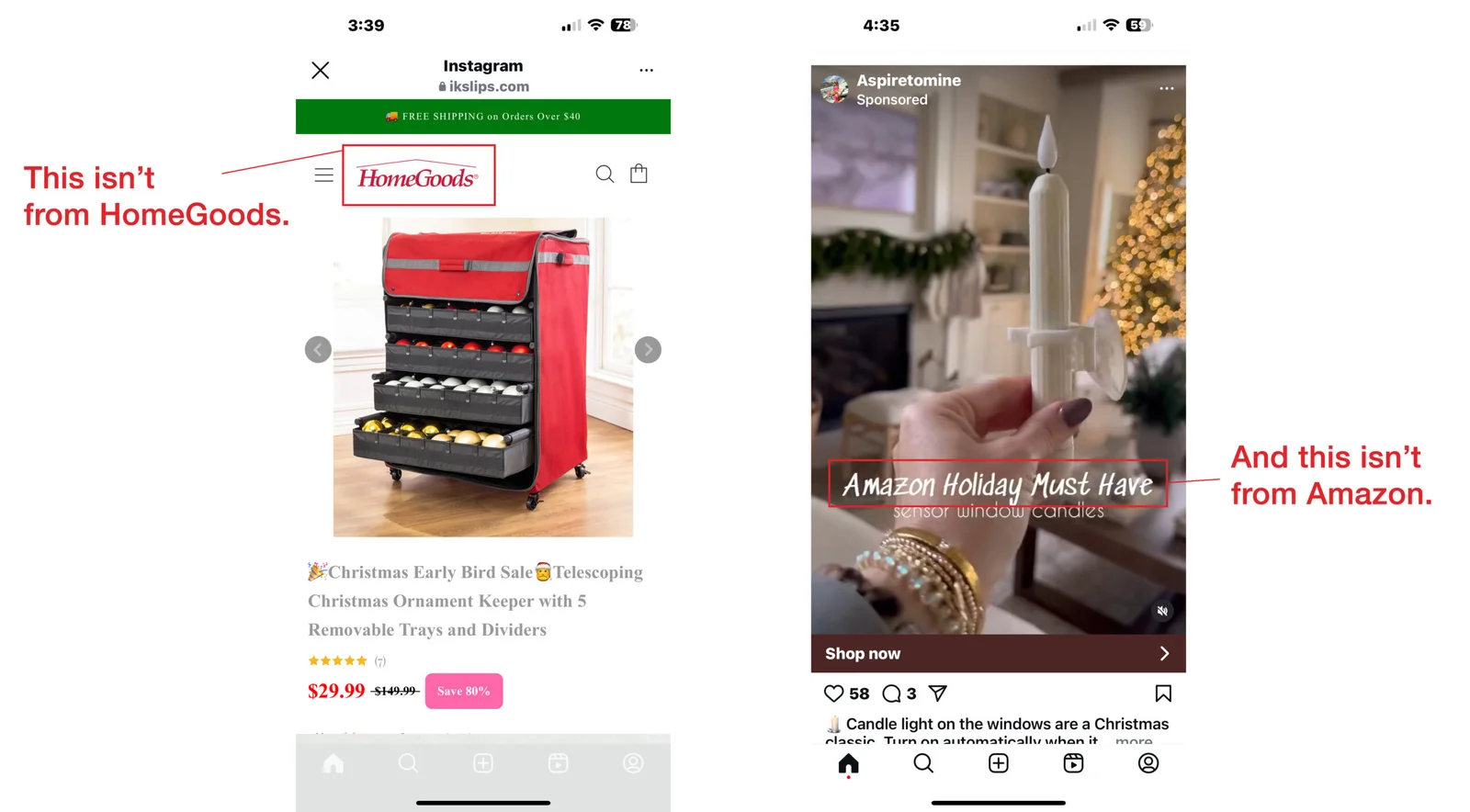
Always look at the web address in the ad.
If it’s not a name you recognize, steer clear from making a purchase.
The product may not be what’s advertised or may not arrive at all.
Cybersecurity News You Can Use

GERMAN READERS — DIGITAL PICTURE FRAME ALERT: Germany’s Federal Office for Information Security (BSI) has uncovered preinstalled malware, dubbed “BadBox,” on 30,000 Android devices, including digital picture frames and media players running outdated Android versions. Specific product details remain unclear. The malware can turn the affected product into a proxy service, enabling hackers to use your home internet to launch attacks. BadBox can also download additional malware and be used to access websites and ads in the background. The BSI urges users to disconnect infected devices. The malware may also impact tablets and phones.

GOOGLE PIXEL PHONES NOW OUTSMART SCAMMERS IN REAL-TIME: Scammers will steal nearly $1 trillion this year, much of it through phone call fraud. To combat it, Google has introduced a new Scam Detection in its Pixel phones that scans calls in real-time. PCMag says the AI tool analyzes “conversation patterns commonly associated with scams,” such as a caller pretending to be your bank and urgently requesting a fund transfer. If the system detects potential fraud, it alerts users with an audio cue, haptic feedback, and a visual warning.
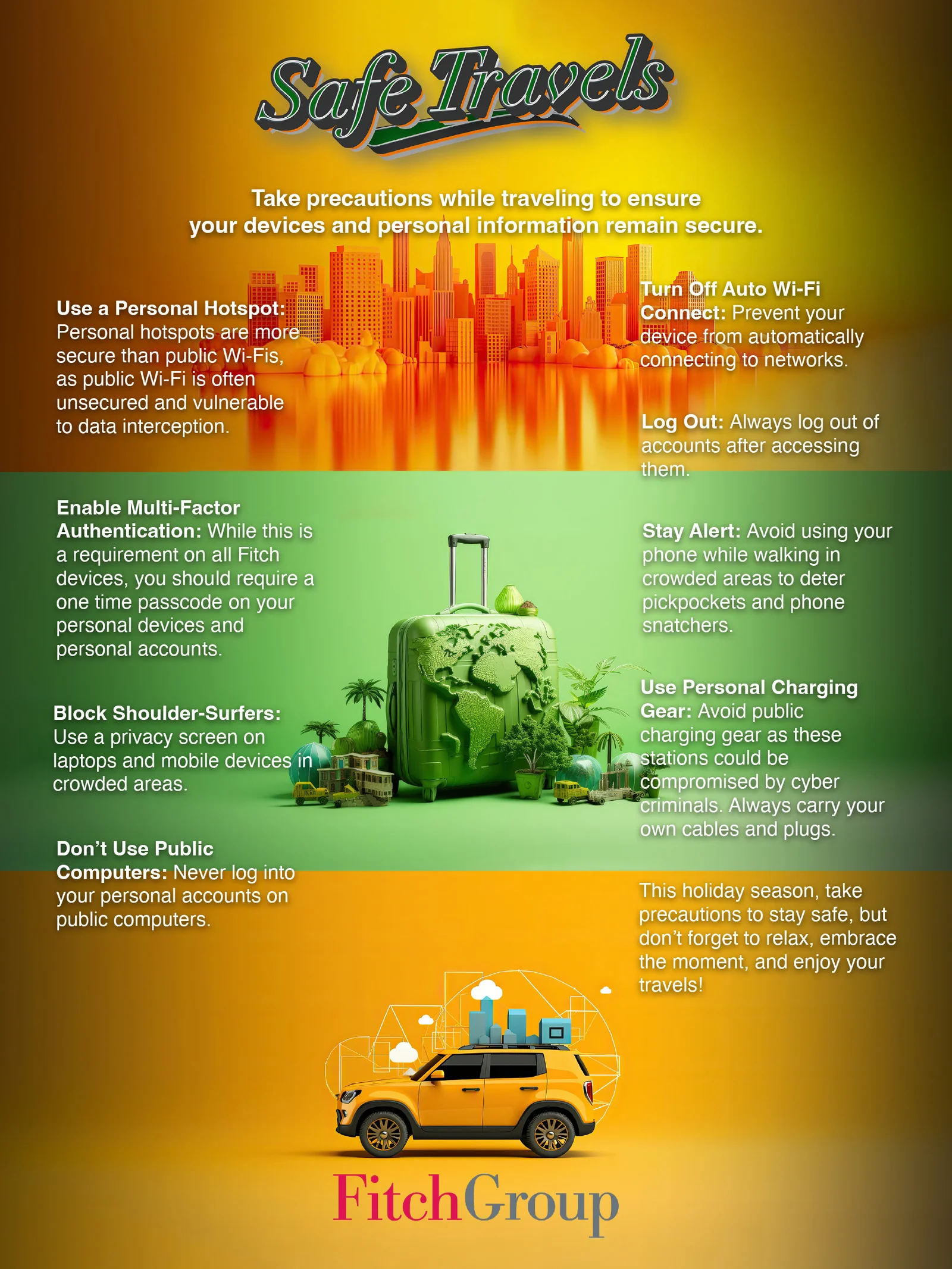
One more thing...
Want to know more?
Visit us at the Technology Risk Team FX site for helpful resources
or contact us at information.securitygroup@
to share interesting articles or suggestions for future newsletter topics.
Answers to Your
Cybersecurity Questions
I forgot my Gmail password. What do I do now? — Andrew S.
If you’ve forgotten your email password or are unable to log into your account, do a web search for the Google Account Recovery Page and follow the steps. Update your email password immediately, using a long passphrase, or subscribe to a password manager app to simplify password management. And while you’re at it, enable two-factor authentication on the account for added protection. For Microsoft and Apple email accounts, follow similar recovery procedures.
Avoid asking for help on social media — Fortune says this can attract fraudsters. Stick to official recovery channels to keep your account secure.
How does a scammer get a hold of your banking card info and then charge something on it? — Patricia F.
There are many ways criminals can steal your card information. The most common is through data breaches that expose card numbers. Your card details can also be stolen when you hand it to a salesperson or waiter, or when you swipe it at a skimming device attached to a store or gas station terminal. Clicking on phishing emails or fake ads can also compromise your card information. Additionally, criminals can intercept your card details if you use public Wi-Fi without proper security.
What VPN should I choose for a used device I’ve been given? — Adam S.
Whether your personal phone or computer is new or used, a reliable VPN app is essential for protecting your online activities from hackers on public Wi-Fi. Trusted VPN brands include ExpressVPN, NordVPN, ProtonVPN, IPVanish, and Surfshark. Avoid using free VPNs, as they often lack proper security features.
A reader asked if it’s safe to connect your computer to your phone’s mobile network for browsing. Yes, this is safe, but be aware that it can quickly consume a large amount of data, which may lead to additional charges or your provider throttling your connection until the next billing cycle.
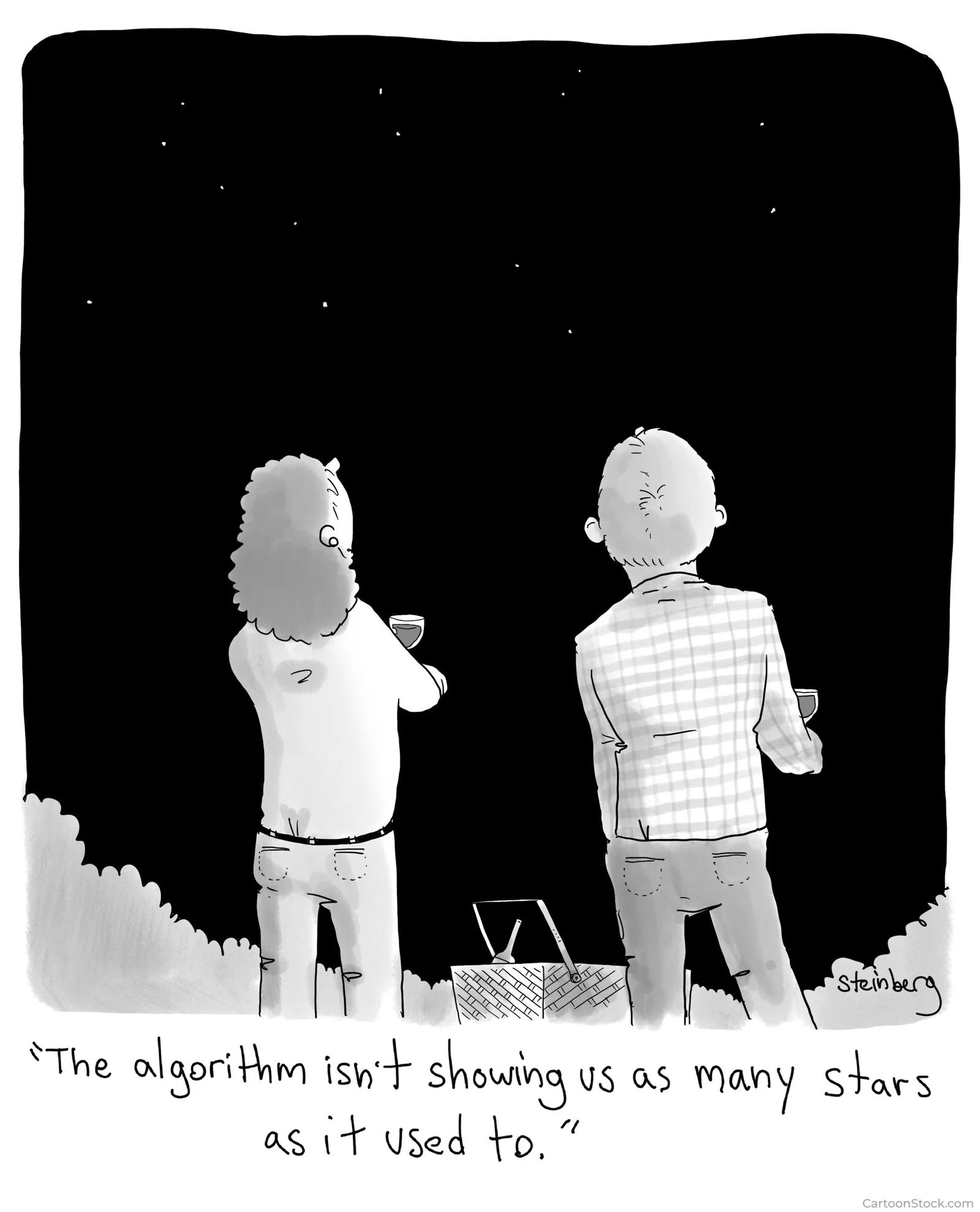
Cyber cartoon © 2024 Cartoonstock.com | Original content © 2024 Aware Force LLC